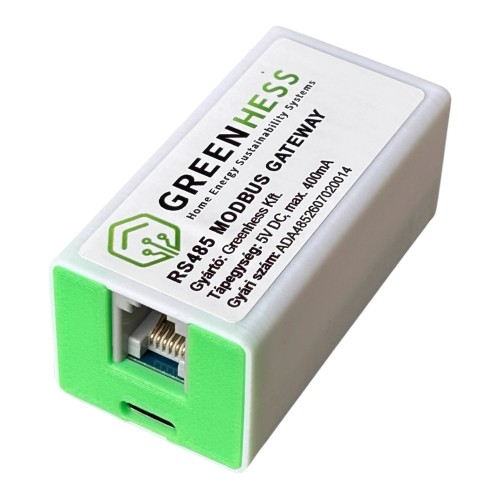
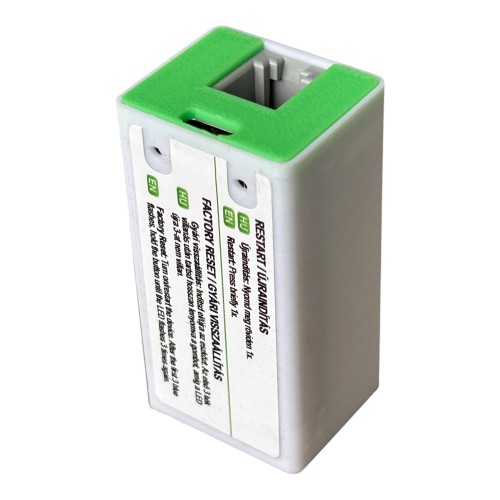
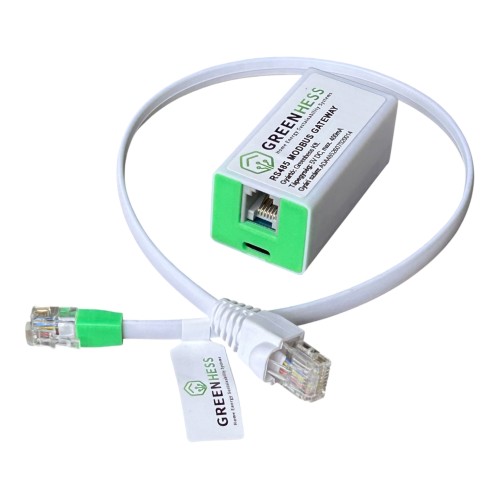
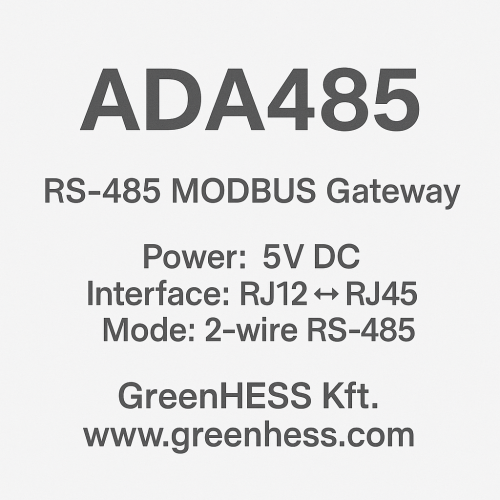
Az ADA485 egy könnyen telepíthető RS485→IP (Wi‑Fi/LAN) híd és edge‑gateway. Modbus RTU‑t olvas és ír, MQTT/HTTP/REST felé publikál, naplóz CSV/JSON‑ba, és Home Assistant/okosvillanyora.hu/hmke.app rendszerekkel azonnal használható. Ideális inverterekhez (Deye/Sunsynk, Fronius RS485), BMS‑ekhez (SEPLOS, Basen), PZEM‑ekhez, hőszivattyúkhoz, kazánokhoz, PLC‑khez. Új funkcióként Modbus RTU slave módban DTSU666 villanyórát is emulál — így a Deye inverter 2Meter portjára közvetlenül csatlakoztatva fizikai mérőóra nélkül szabályozza a betáplálást a P1 okosvillanyóra adatai alapján.
FIGYELEM! Tápegységet és USB kábelt nem tartalmaz!
Az ADA485 a GreenHESS ADA‑ökoszisztéma RS485/Modbus TCP/Modbus kapu eszköze. Feladata, hogy a szabványos Modbus RTU vonalon elérhető mérőket/vezérlőket akár felhő nélkül, helyben összekösse az otthoni vagy ipari IP‑hálózattal.
Fő felhasználások:
HMKE napenergia rendszerek: inverter, smart meter, BMS valós idejű felügyelete és vezérlése.
Fűtés‑hűtés: hőszivattyú, kazán, puffertartály, hőmennyiségmérő RS485‑ön.
Ipari/épületautomatika: PLC, frekvenciaváltó, hőmérséklet‑/nyomás‑távadó, PZEM, stb.
Smart Meter pótlás: Deye/Sunsynk inverter 2Meter portjára DTSU666 emulátor — fizikai villanyóra nélkül.
Jelenleg a következő akkumulátorokkal és BMS-ekkel kompatibilis, de folyamatosan bővítjük:
Funkciók részletesen
Kommunikációs csatornák
Modbus RTU master: olvasás/írás, több slave egy buszon, ütemezett lekérdezések, on-demand parancsküldés.
Modbus RTU slave (új!): saját maga adatszolgáltatóként viselkedik — Eastron SDM630 (FC04) vagy CHNT DTSU666 (FC03) emulációval.
Modbus TCP kliens (LAN-on): gyors polling RS485 nélkül, persistent connection támogatással.
Solarman protokoll: natív Solarman V5 frame támogatás Deye/Sunsynk inverterekhez (sorozatszám alapú).
HTTP/REST pull + JSON-path: tetszőleges API mezők kinyerése és egységesítése.
RS485 ASCII keretek:
ascii/hex/hextoasciisablon + opcionális frame-suffix.MQTT publish/subscribe: EMQX broker felé valós idejű adat + távoli vezérlés (set-mode, get-status, get-config, raw send).
Edge feldolgozás és számítások
Skálázás és előjelkezelés: divider, mask, signed/unsigned, két's complement, byte sorrend (BE/LE).
Számított mezők: kifejezésalapú derived értékek (pl.
batt_i_charge,batt_i_dis, fázisösszegek, P/U/I konverziók).Több request → egy payload: pl. inverter + BMS adatok közös JSON objektumba.
Mező szintű küldés-engedélyezés (
adasend): kulcsok kiválasztása MQTT publish-hez.Cache és állapotkezelés: utolsó érvényes adat megőrzése, gate-feltételek a hiányos adatok kiszűrésére.
Webes adminisztráció
Captive portal Wi-Fi setup: első indításnál AP módba áll, telefonról beállítható.
Beépített protokoll-szerkesztő: CodeMirror-alapú JSON editor a profilok élesben szerkesztéséhez.
Titkosított protokoll fájlok: a szállított profilok VB-style obfuszkáció mögött, kulccsal dekódolhatók.
Élő adatfelület: fázisfeszültségek, áramok, teljesítmények, energiák, frekvencia kijelzése.
Modbus forgalom dekóder: az utolsó kérés/válasz hex dump és regiszter szintű értelmezés (név + mértékegység + dekódolt float érték).
Eseménynapló: MQTT küldés/fogadás idővonal, nyugtázott parancsok, hibák.
Üzemeltetés
OTA frissítés: böngészőből vagy automatikus pull a
firmware.greenhess.com‑ról.Naplózás: CSV és JSON napló helyben (LittleFS), időszaki push szerver felé.
Hibatűrés: watchdog reset, automatikus újrakapcsolódás Wi-Fi/MQTT kiesés után, perzisztens konfiguráció flash-ben.
Multitask architektúra: ESP32 dual-core kihasználás — a hálózati műveletek (HTTP, MQTT) és a Modbus slave válaszadás külön CPU magon, prioritásalapú FreeRTOS scheduling-gel. Így a polling-érzékeny eszközök (pl. Deye inverter 100 ms-os 2Meter polling) garantáltan időben kapnak választ.
Smart Meter emuláció (DTSU666 / Eastron mód)
Az ADA485 firmware egyik legkülönlegesebb funkciója a Modbus RTU slave mód: az eszköz maga válik villanyórává az inverter számára, fizikai DTSU666 vagy Eastron SDM630 mérő nélkül. Az adatokat a P1 okosvillanyóra (okosvillanyora.local) JSON API-ról olvassa be Wi-Fi-n keresztül, majd a Deye által várt Modbus RTU formátumban, az RS485 buszon keresztül szolgálja ki az invertert.
Tipikus felhasználás: ahol már van okosvillanyóra (P1 dongle-lel), nem kell külön DTSU666 mérőt vásárolni a Deye 2Meter porthoz. Az ADA485 egyetlen eszközben valósítja meg az adatgyűjtést és a meter emulációt.
Választható protokollok
EASTRON SDM630 mód (FC04 — Read Input Registers)
SI alapegységek: V, A, W, Hz, kWh — közvetlenül IEEE754 float-ban.
Teljes regisztertérkép a 0x0000-0x0164 tartományban: fázisfeszültségek, áramok, aktív/reaktív/látszólagos teljesítmény fázisonként és összesítve, PF, frekvencia, import/export energia, line-line feszültségek.
Nincs skálázási kérdés — natív SDM630 kompatibilitás.
CHNT DTSU666 mód (FC03 — Read Holding Registers)
Hivatalos CHINT DTSU666 ModBus protokoll v1.5 szerinti regisztertérkép.
Pillanatnyi mérések blokk:
0x2000‑0x2030(Uab/Ubc/Uca, Ua/Ub/Uc, Ia/Ib/Ic, Pt/Pa/Pb/Pc, Qt/Qa/Qb/Qc, St/Sa/Sb/Sc, PFt/PFa/PFb/PFc).Frekvencia:
0x2044.Energia blokk (hivatalos cím):
0x4000(ImpEp),0x400A(ExpEp),0x4014(ImpEq),0x401E(ExpEq).Backward-compat: a Huawei DTSU666-H variáns
0x101E/0x1028címei is támogatottak.
Skálázási profilok
A különböző Deye firmware verziók eltérő skálázást várhatnak ugyanazokon a regisztereken. Ennek kezelésére a CHNT módban három előre beállított profil választható, a legtöbb esethez paraméterezés nélkül megoldást nyújtva:
DTSU666 klasszikus (alapértelmezett): a gyári CHINT skálázás — V×10, I×1000, P×10, Q×10, PF×1000, Hz×100, Energia natív kWh. Ez működik a legtöbb 2024+ Deye firmware-rel.
Native SI: minden érték közvetlenül SI alapegységben — V, A, W, Hz, kWh. Egyes újabb firmware build-ek ezt várják.
Egyedi (Custom): a 7 mezőcsoport (V, I, P, Q, PF, Hz, E) szorzói egyenként megadhatók, ha sem a DTSU666 klasszikus, sem a Native nem illik.
Élő diagnosztikai eszközök
Modbus forgalom dekóder: a webfelület mutatja az utolsó inverter kérést (cím, FC, regiszter tartomány) és az ADA485 válaszát — minden regiszter névvel, mértékegységgel, "wire" értékkel és a visszaszámolt SI értékkel együtt. Így skálázási hiba pillanatok alatt felderíthető.
Teszt mód: a P1 lekérdezés ideiglenesen kikapcsolható, és fix értékek injektálhatók az inverter felé (pl. P_L1=-500W, P_L2=+1000W, P_L3=-1500W). Ezzel ellenőrizhető, hogy az inverter kijelzőjén pontosan azok az értékek jelennek meg, amiket a buszra küldünk — kalibrációhoz és telepítés-validáláshoz nélkülözhetetlen.
Statisztikák: query_count, query_ok, query_fail számlálók, P1 fetch sikeresség, utolsó kérés időbélyeg.
Frekvencia sanity check: ha a P1 forrás 0 Hz-et ad (egyes okosvillanyórák így viselkednek), a firmware automatikusan 50 Hz-et küld, hogy az inverter ne dobjon meter hibát.
Távoli konfiguráció
A meter slave mód minden paramétere (proto, P1 host/port/path, slave cím, fetch periódus, skálázási profil, custom szorzók, teszt mód értékek) MQTT-n keresztül is állítható, nem csak a webfelületről. Ez lehetővé teszi, hogy egy felügyeleti rendszerből egyszerre több ADA485-öt konfigurálj, vagy automatikus váltást építs különböző inverter típusokhoz.
Gyors telepítés (5 lépés)
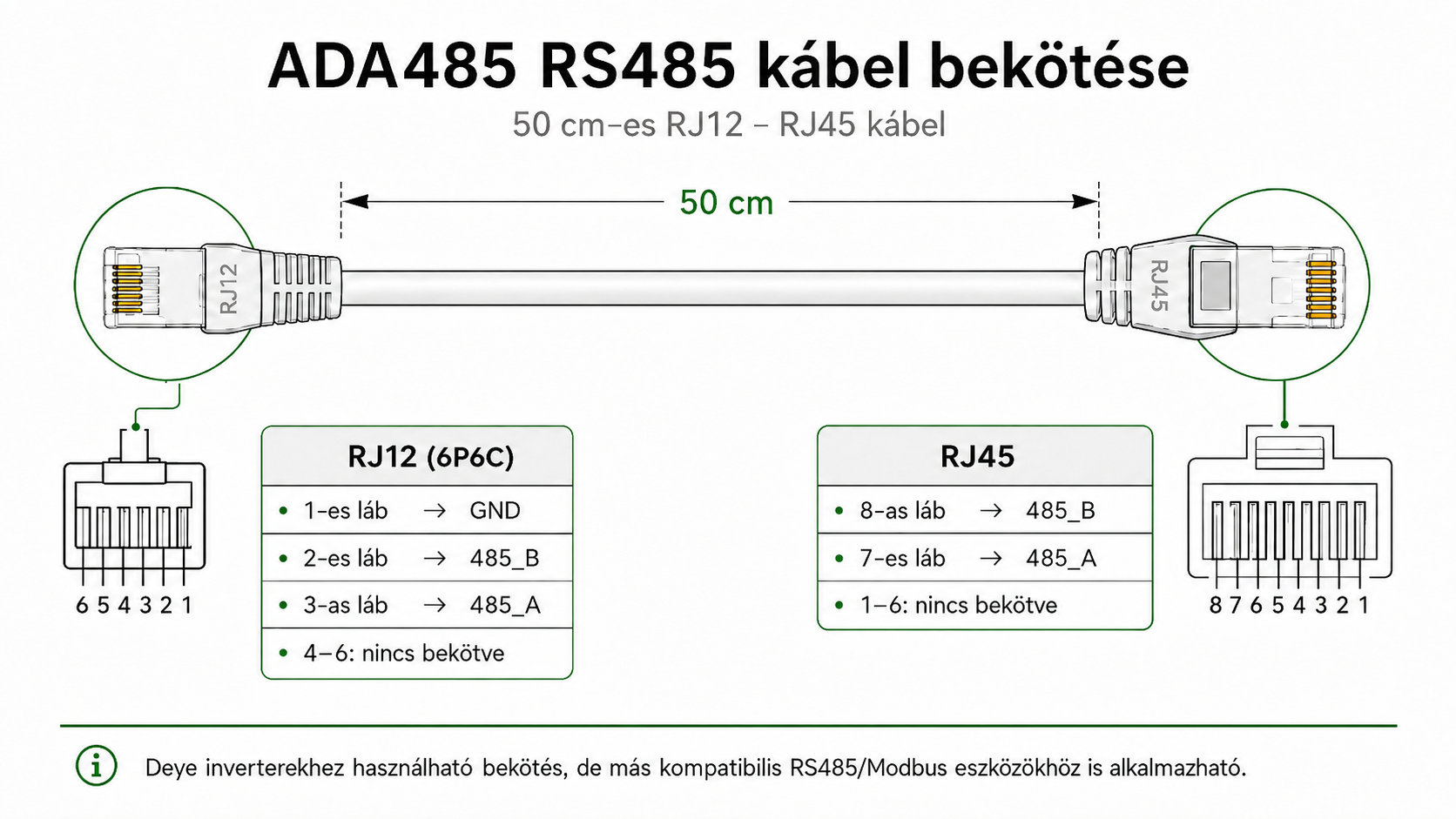
Bekötés: RS485 A/B/GND → a mérő/inverter buszára (A‑A, B‑B; polaritás számít). Buszvégen 120 Ω lezárás ajánlott.
Táp: csatlakoztasd az ADA485 tápját (a címkén jelölt tartomány szerint – tipikusan 5…24 V DC).
Wi‑Fi: telefonról/lapról csatlakozz az ADA485 AP‑hez → webes beállítás (jelszó: 12345678).
MQTT/REST: add meg a broker címet vagy a helyi API‑célpontot.
Profil: válaszd ki / töltsd be a kész Modbus profilt (pl. Deye SUN‑xK‑SG04LP3‑EU), mentsd, START. Meter slave módhoz: válaszd a CHNT DTSU666 vagy Eastron protokollt, add meg a P1 villanyóra címét, válaszd ki a skálázási profilt.
Bekötés
RS485 alapszabályok
Kétvezetékes, árnyékolt sodrott érpár ajánlott (pl. LiYY/UTP):
A(+) ↔ A(+),B(−) ↔ B(−).Egy közös GND referencia sok esetben növeli a zajtűrést (ha az eszköz engedi).
A busz mindkét végén 120 Ω lezárás legyen; a bias (fel/lehúzás) általában egyetlen ponton, a master közelében.
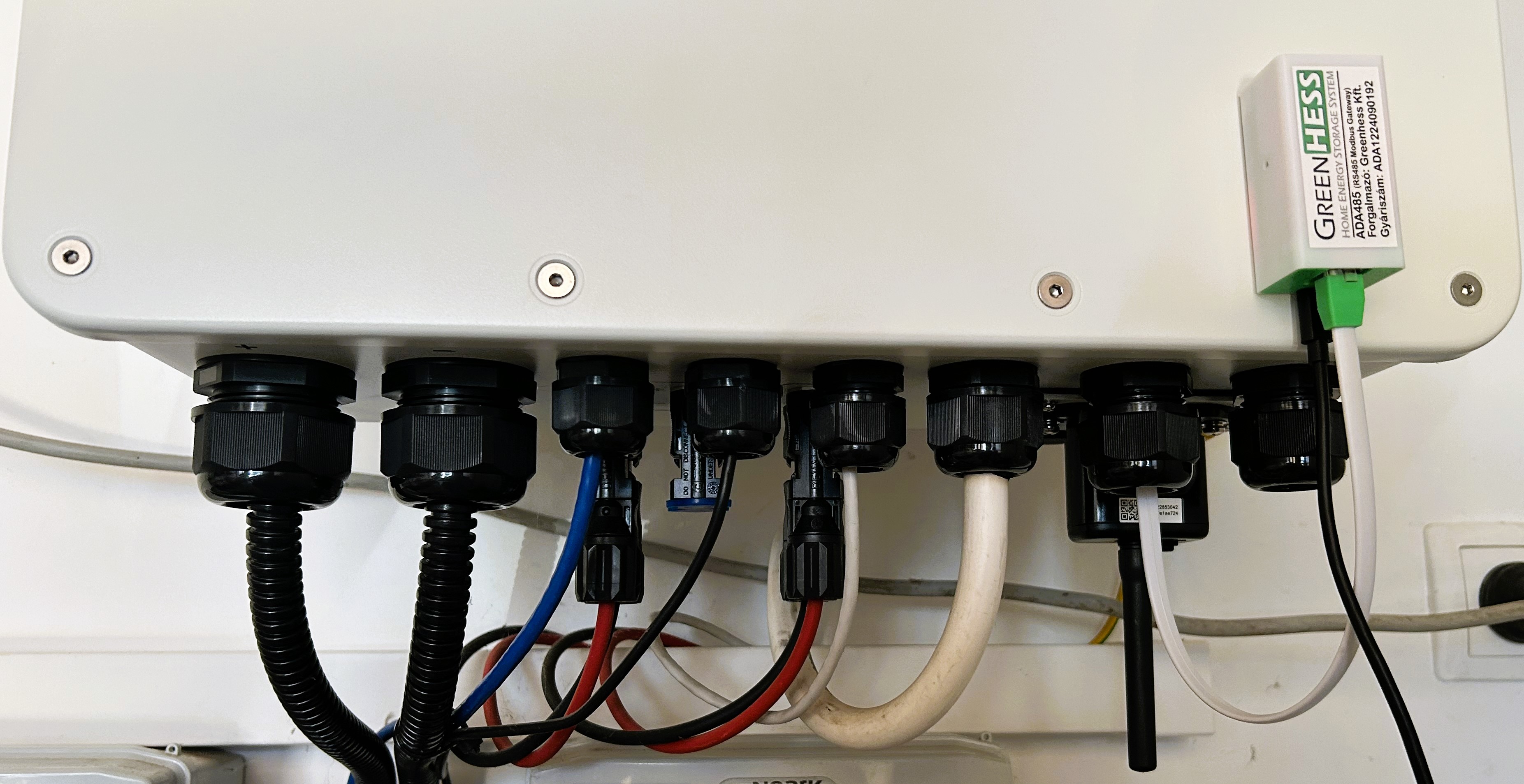
Kiosztás példa (sorkapocs):
RS485-A(jel +)RS485-B(jel −)GND(opcionális referencia)
RJ45 port esetén mindig a készülék feliratát kövesd; RS485‑re nincs univerzális RJ45‑szabvány.
ADA485 – RS485/Modbus & TCP/Modbus IoT‑híd HMKE‑hez és ipari eszközökhöz
- Gyártó: GreenHESS
- Cikkszám: 5999863535024
- Készletinfó: 11
-
24 892 Forint
- Nettó ár: 19 600 Forint
Kapcsolódó termékek
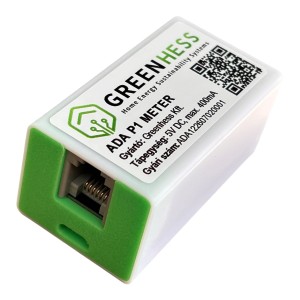
ADA P1 Meter - okos mérő villanyórához +15 cm RJ12 adatkábel
Az eszköz közel 40 adatot gyűjt (fogyasztás, visszatáplálás, fázisparaméterek, meddő energiák, stb..
18 900 Forint Nettó ár: 14 882 Forint