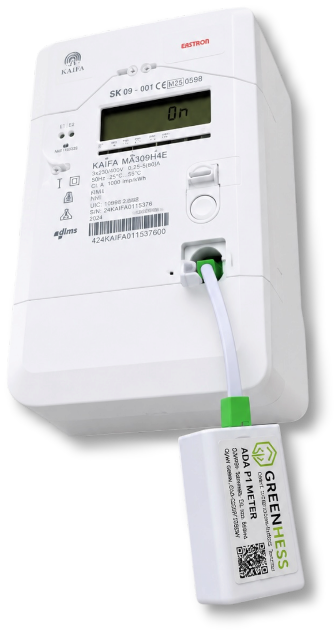
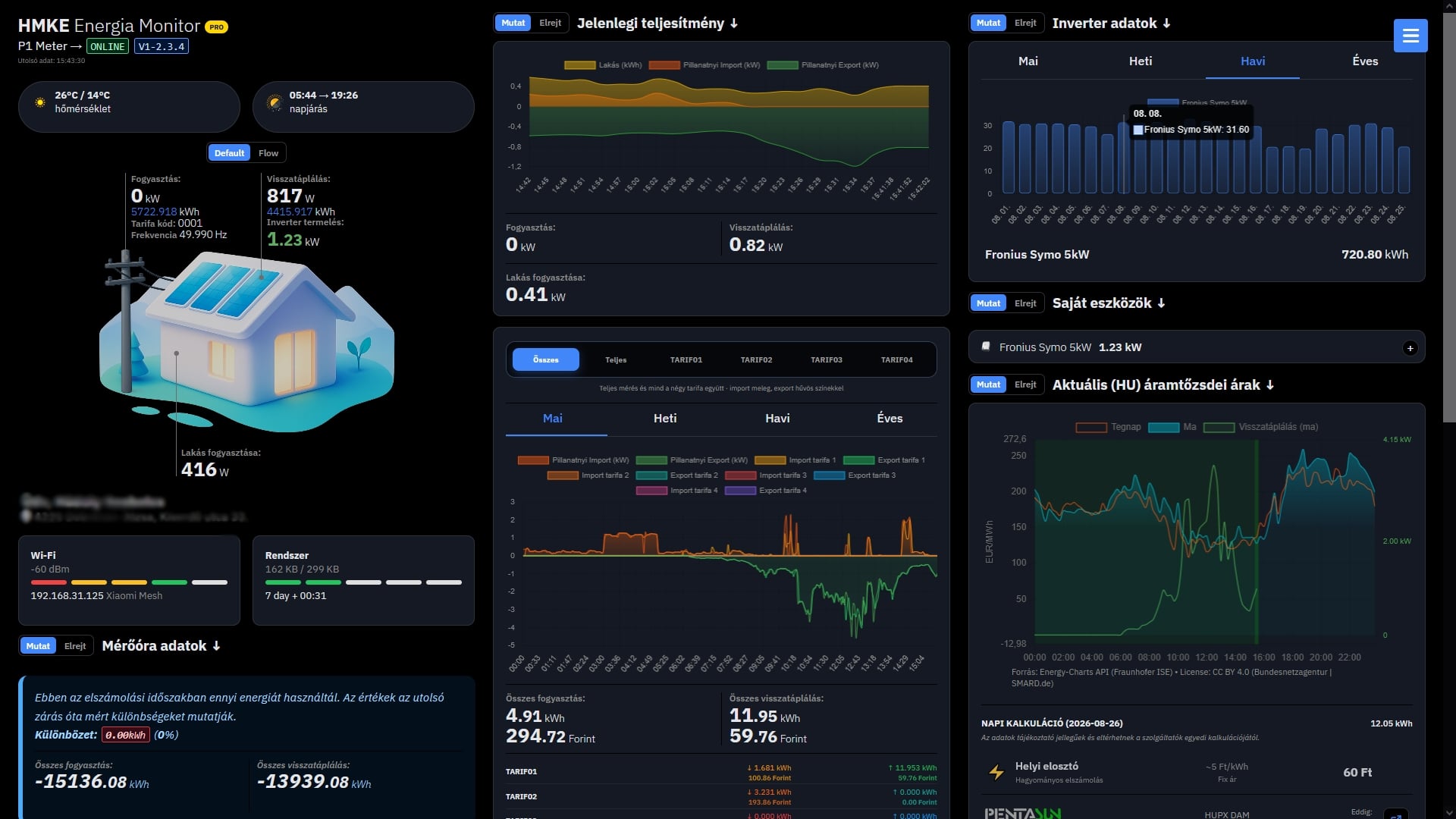
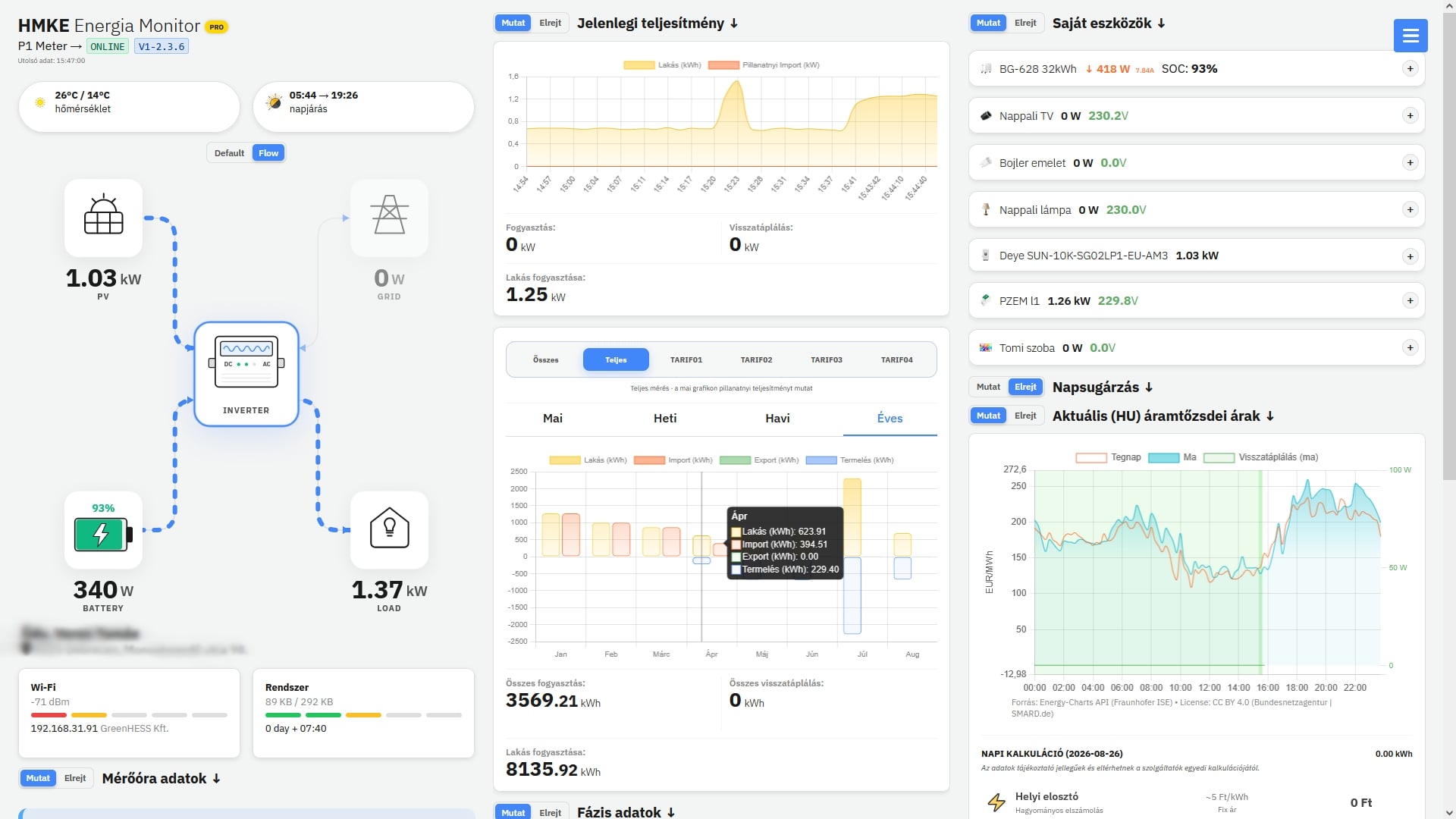
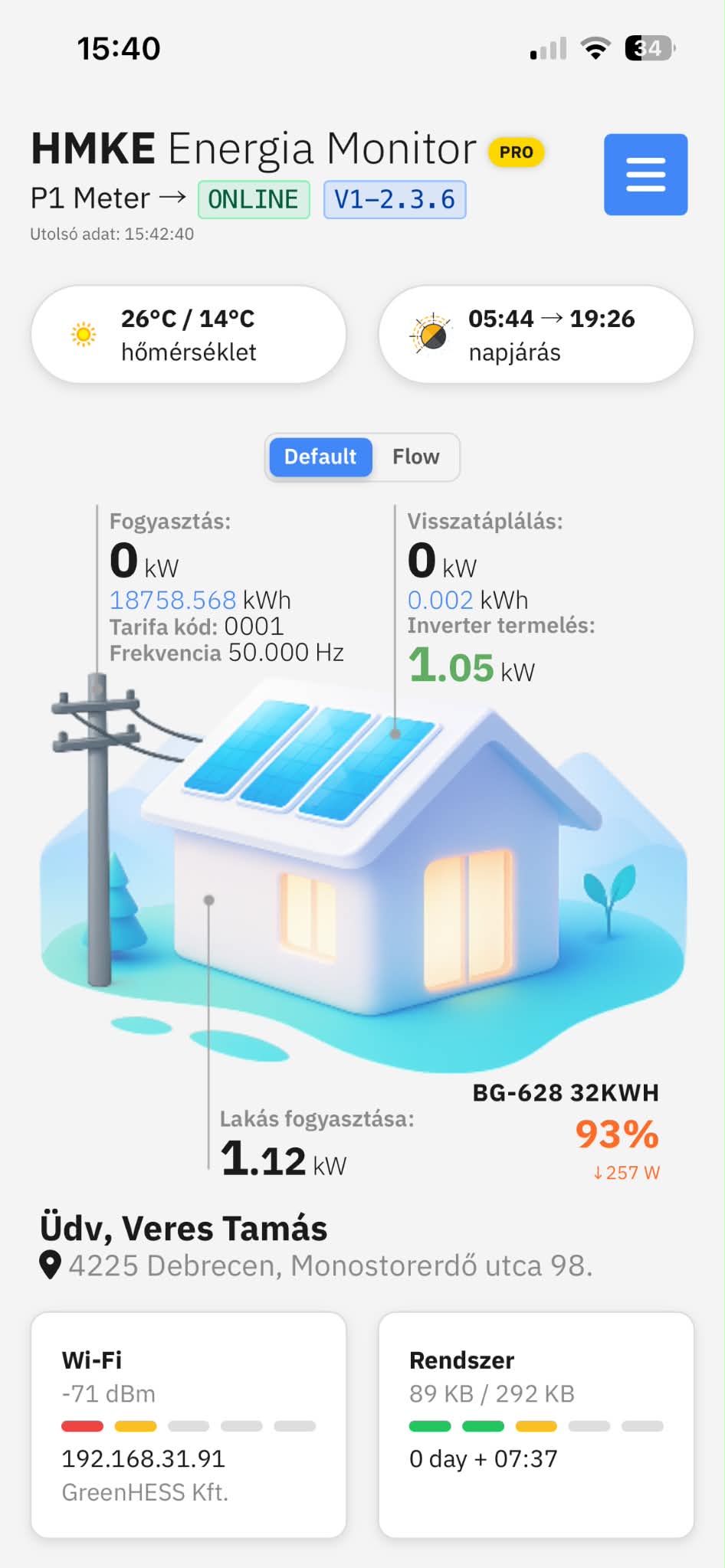
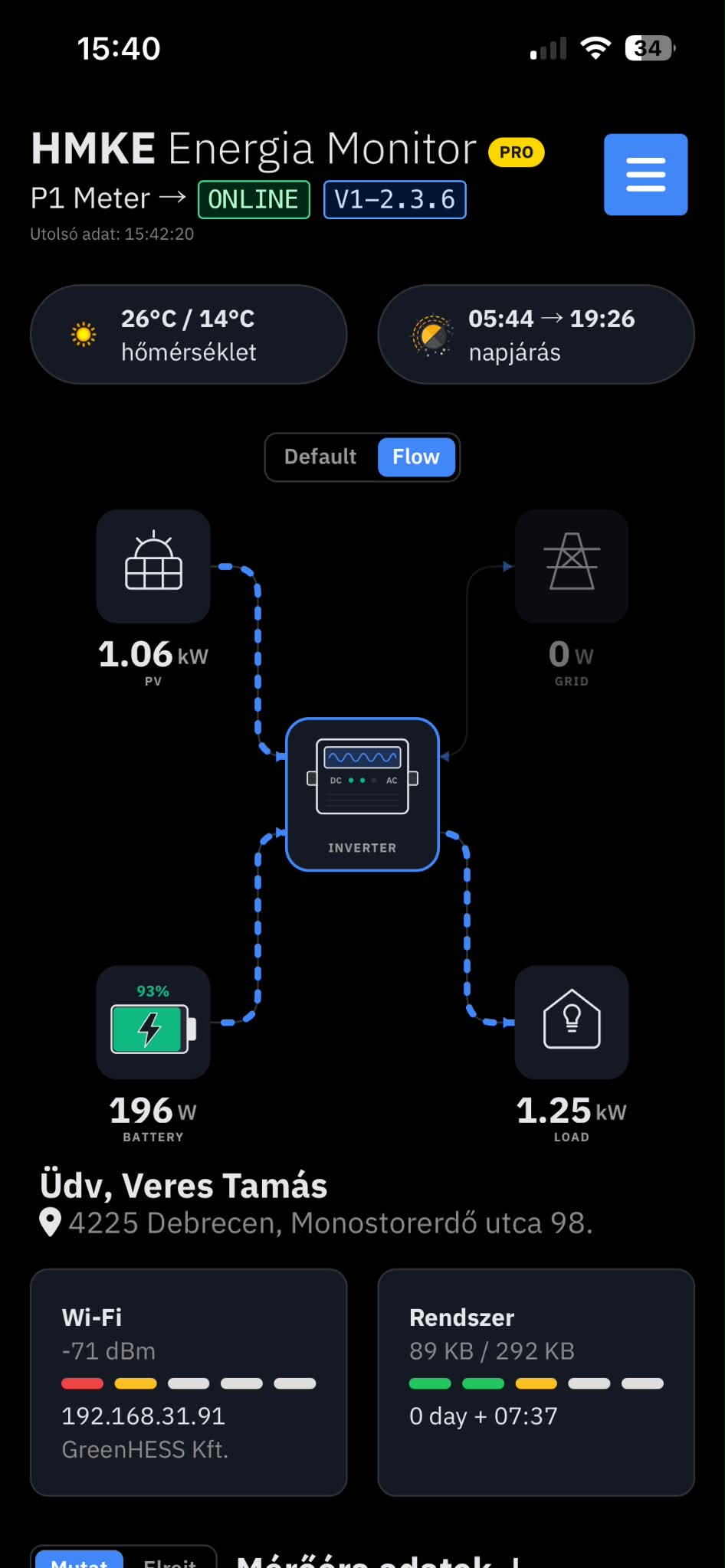
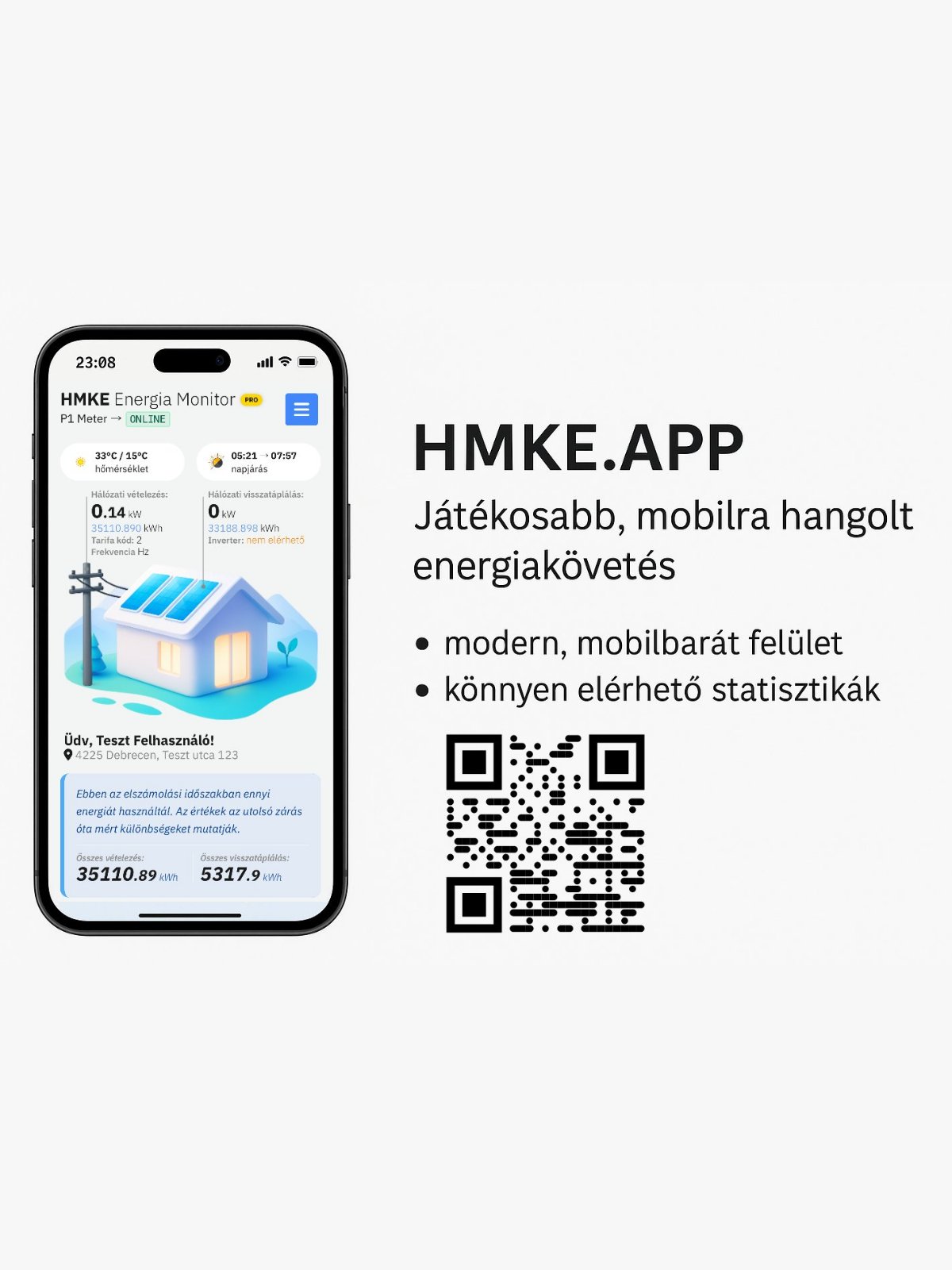
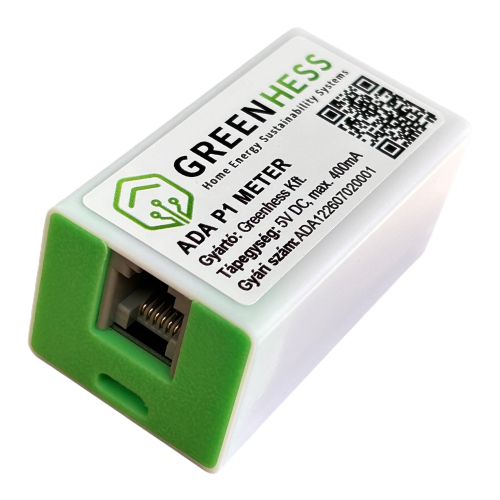
Monitor your solar system, consumption and grid flow in near real time – anywhere, anytime with the ADA P1 Meter!
✓ Near real-time data updates every 10 seconds.
✓ Compatible with smart meters featuring a DSMR5-compatible P1 port.
✓ Ready to use in just a few minutes.
✓ Energy management made simpler than you might think.
✓ Intelligent control of air conditioners, heat pumps, EV chargers and other loads.
✓ Smart solar-system control for more efficient operation and a faster return on investment.
See exactly how your home consumes, produces and exports energy
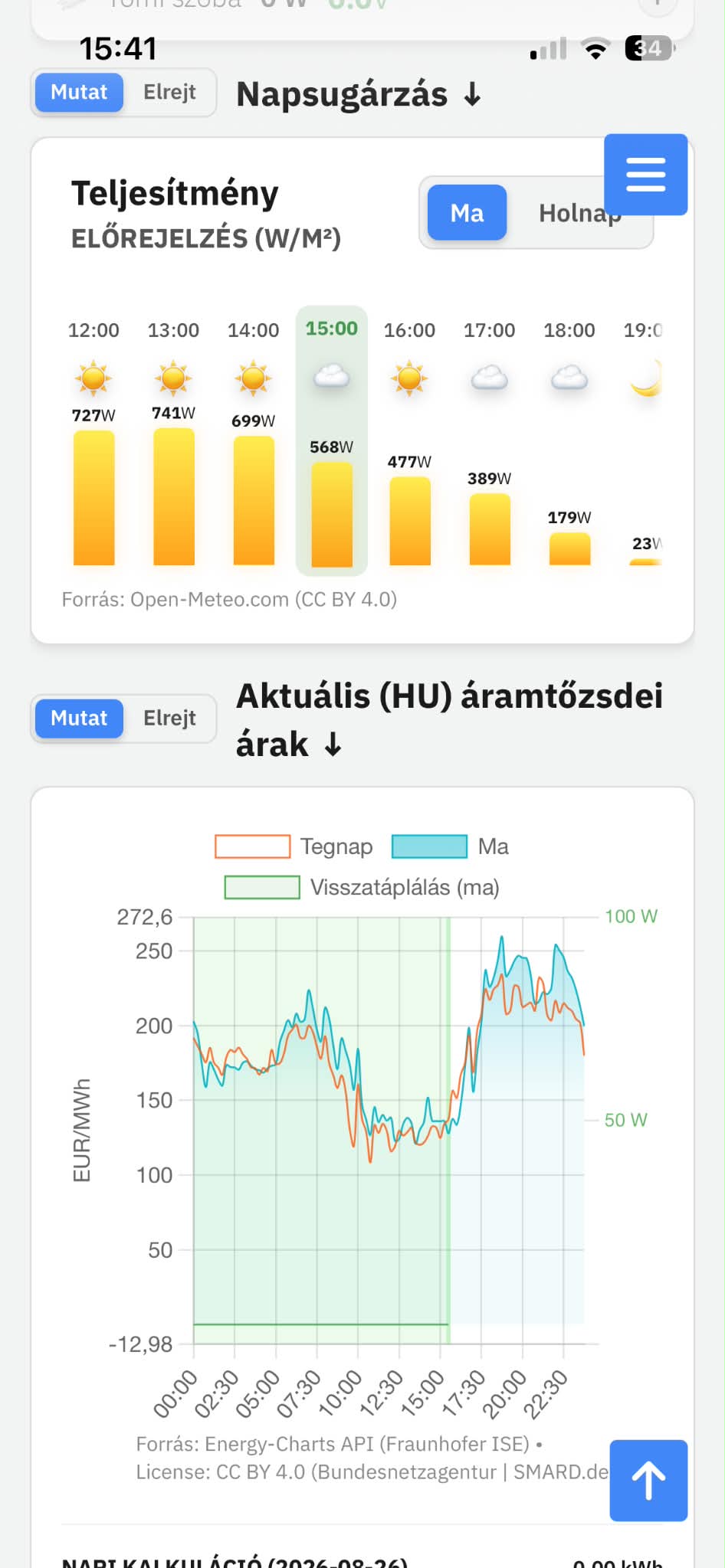
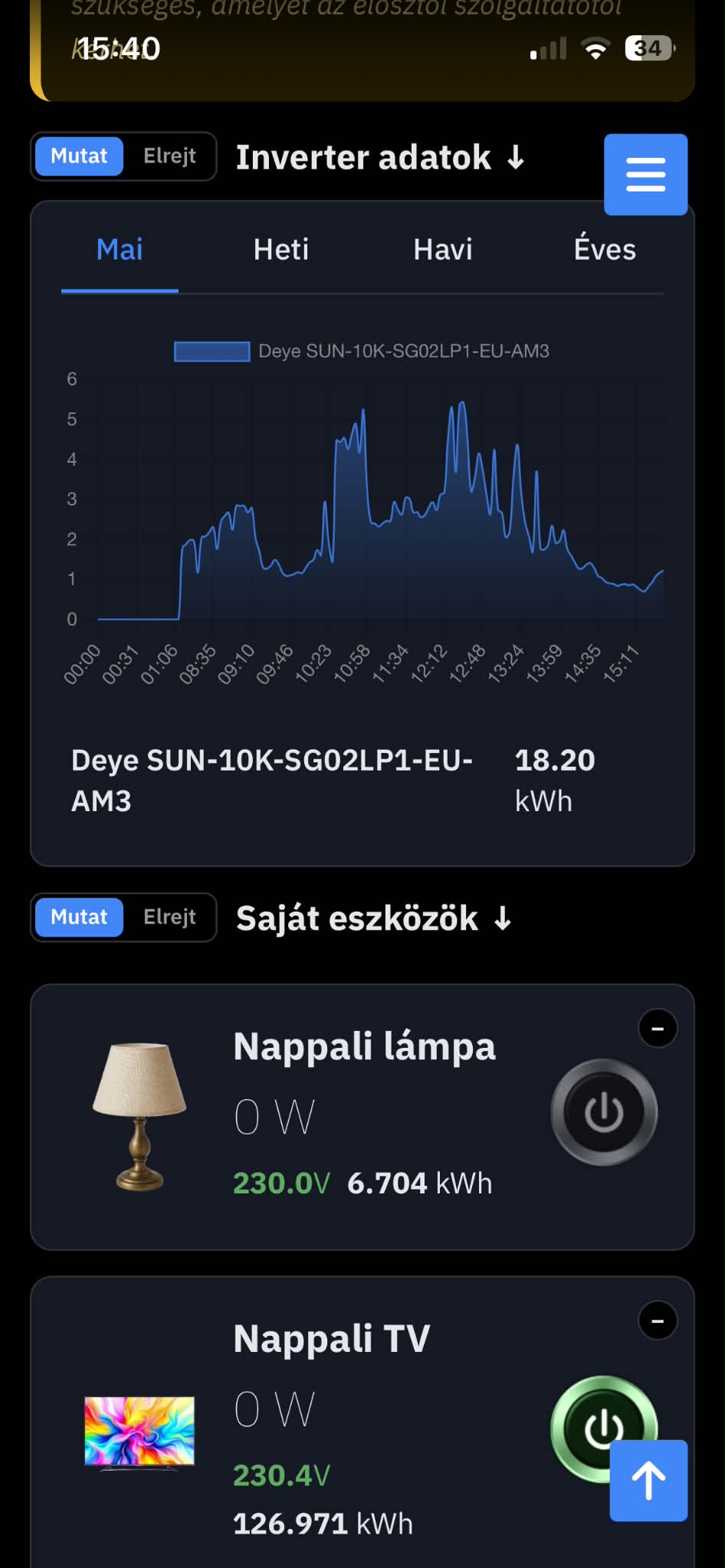
Use the GreenHESS cloud service even on the free plan and follow household consumption, solar production and energy exported to the grid in one clear interface.
Understand your energy-use habits, see information about the value of the energy you produce, and identify unusual or hidden energy consumers. Control smart devices manually or with automated rules from your phone or browser. Timers and automations aligned with aggregator market prices help you manage production and grid export more deliberately.
Featured products
Communication devices for smart electricity meters
Upgrade your electricity meter with a single compact device.
ID 50
GreenHESS
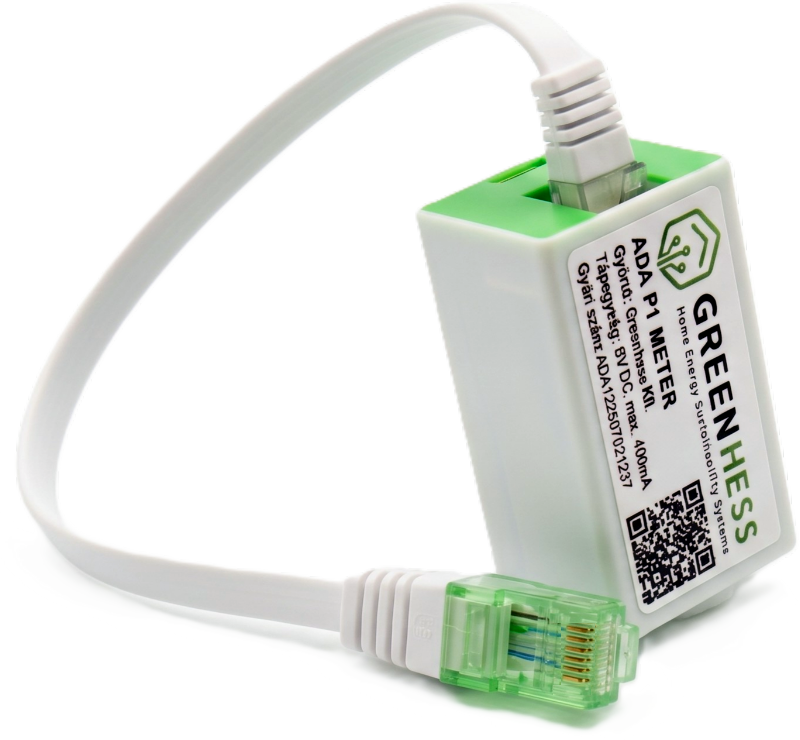
The device collects nearly 40 data points (consumption, feedback, phase parameters, reactive energies, etc.) from the meter and transmits them on MQTT, Home Assistant, JSON API endpoints, to the cloud or local network. Thanks to the JSON API output, it ca
In stock
Views: 1261
51.78 €
ID 51
GreenHESS
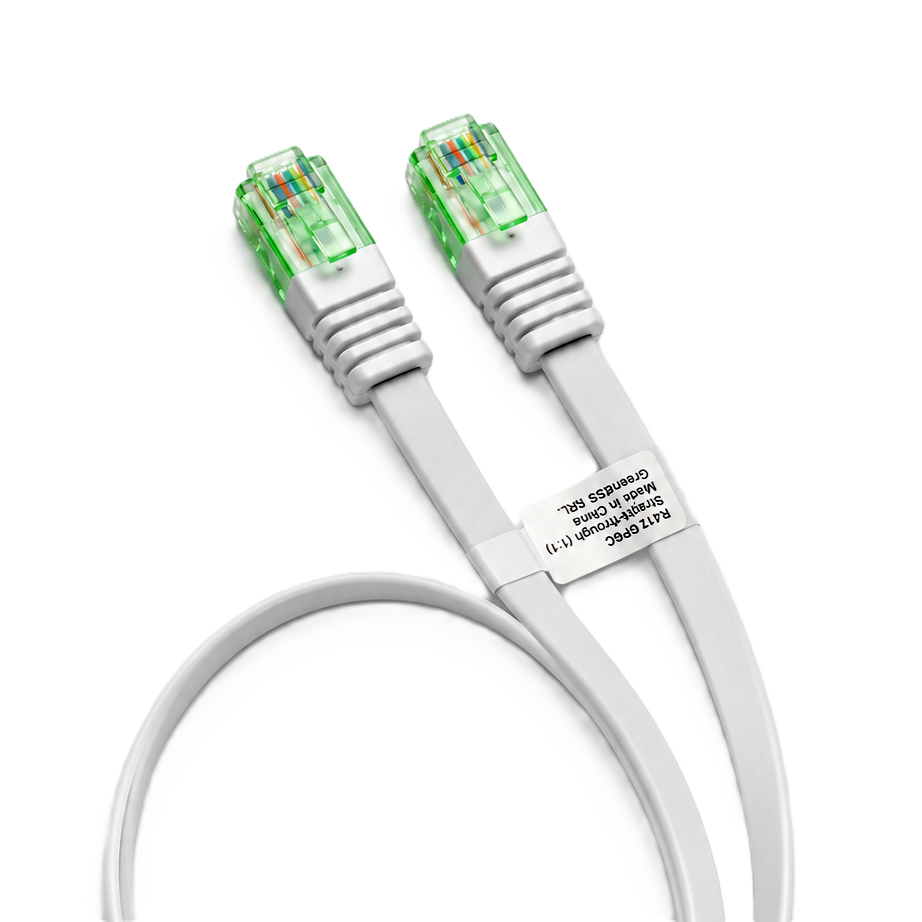
Straight connection 35 cm long data cable for ADA P1 Meter and compatible devices.
In stock
Views: 135
5.18 €
SALE!Stock Clearance – until October 24!
ID 56
GreenHESS
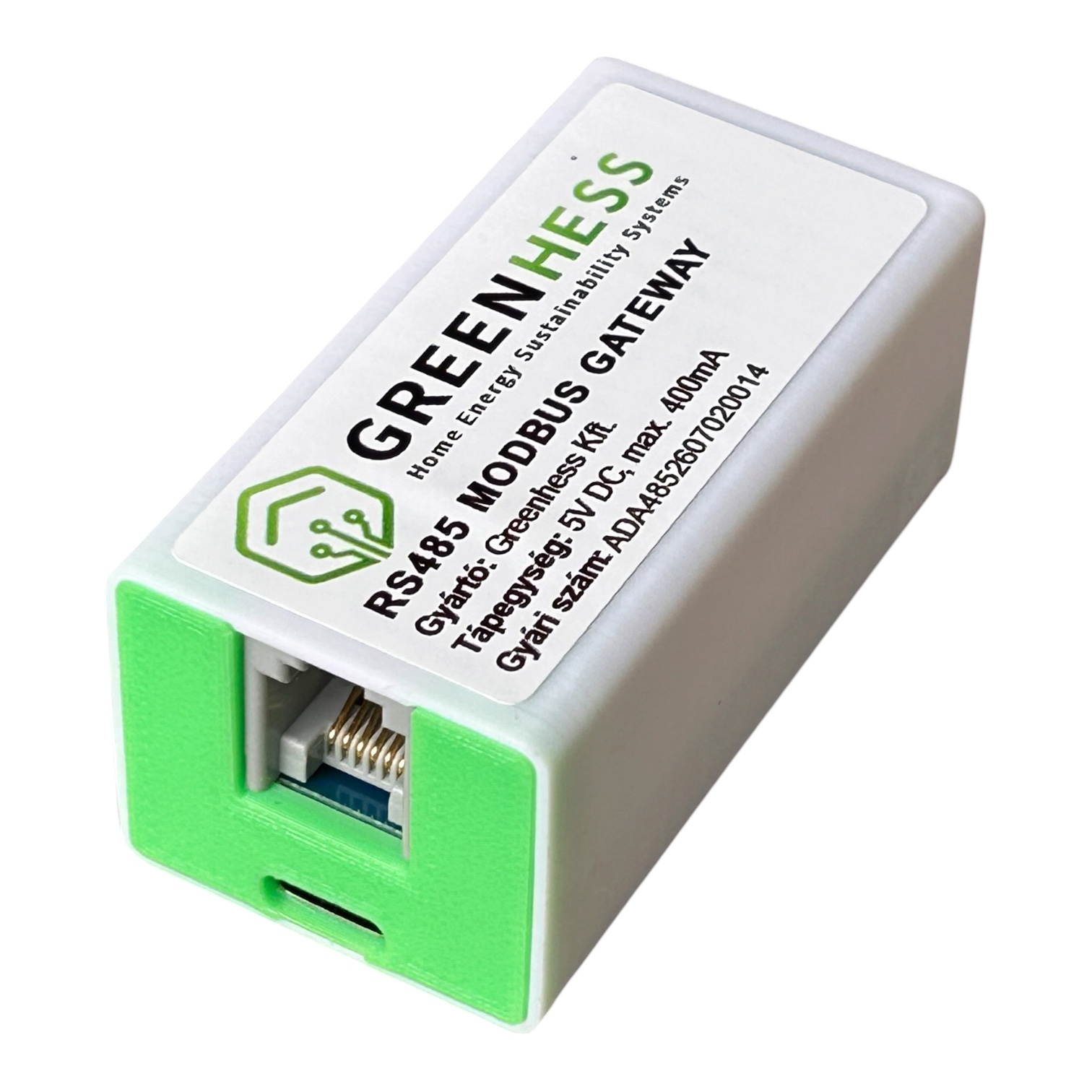
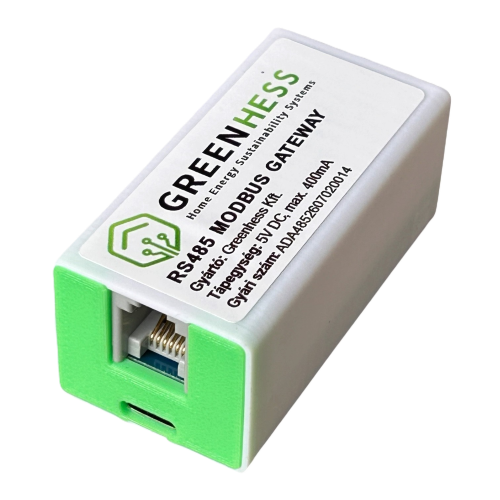
ADA485 is an easy-to-install RS485-to-IP (Wi-Fi/LAN) bridge and edge gateway. In Normal mode, it polls devices, optionally uses persistent Modbus TCP connections, and publishes data via MQTT/HTTP/REST. In Meter Slave mode, it emulates a DTSU666 or Eastron electricity meter using data from a P1 smart meter. Its third operating mode is a Modbus TCP-to-RTU gateway: it forwards Modbus TCP requests received over Wi-Fi to the appropriate slave on the RS485 bus, then returns each response to the TCP client. PLEASE NOTE: Power supply and USB cable are not included!ADA485 is the RS485/Modbus TCP gateway in the GreenHESS ADA ecosystem. It connects meters and controllers that use standard Modbus RTU to a home or industrial IP network locally, without relying on the cloud. Main applications: Solar PV systems: real-time monitoring and control of inverters, smart meters, and BMS devices. Heating and cooling: heat pumps, boilers, buffer tanks, and heat meters over RS485. Industrial and building automation: PLCs, variable-frequency drives, temperature/pressure transmitters, PZEM devices, and more. Smart meter replacement: a DTSU666 emulator for the 2Meter port of a Deye/Sunsynk inverter, without a separate physical meter. Modbus TCP-to-RTU gateway: access RS485 inverters, meters, and controllers from a client on the local network; address multiple slaves using different Unit IDs. Three selectable operating modes: Normal (device polling and data processing), Meter Slave (smart meter emulation), and Gateway (Modbus TCP-to-RTU bridge). Each mode uses the RS485 bus for its own purpose, so only one mode is active at a time. Communicates with devices designed for RS485 Modbus data communication. Currently compatible with the following batteries and BMS devices; the list continues to grow: Battery Systems & BMS11 pcsBasenGreen 628Ah (JK PB2A16S20P)DOCAN 600AhDOCAN 900AhEASUN (M16S100BL-V)Gobel PC200GreenBULL (GB16280)Hailei (HL-PW4810016S)JKBMS (14CELL-B2A24S20P)JKBMS (EJ-JK-B2A24S20P)JKBMS 300Ah (PB2A16S20P)SEPLOS 280Ah (16S200A)EV Chargers & EVSE Controllers1 pcVoltieHeat Pumps & HVAC Controllers2 pcsHajdu HPAWMidea M-ThermalPV Inverters & Hybrid Inverters6 pcsDeye SUN-xK-SG04LP3-EUemptyFronius Symo (TCP int+SF)Growatt x000UEHuawei SUN2000 (TCP)SigenergyLast updated: 20 Aug 2026, 16:35:03 Features in detailCommunication interfaces Modbus RTU master: reading and writing, multiple slaves on one bus, scheduled polling, and on-demand commands. Modbus RTU slave: acts as a data source by emulating an Eastron SDM630 (FC04) or CHNT DTSU666 (FC03) meter. Modbus TCP client (over the local network): polling without RS485; optional persistent TCP connections for protocol profiles and raw HEX requests (tcp_mode: "persistent" or persistent: true). The previous connect-per-request behavior remains available. Modbus TCP-to-RTU gateway: TCP server on the IP network and RTU master on RS485. The TCP Unit ID selects the RTU slave; the reply returns to the original TCP client. Solarman protocol: native Solarman V5 frame support for Deye/Sunsynk inverters, based on serial number. HTTP/REST pull + JSON path: extract and normalize fields from APIs. RS485 ASCII frames: ascii/hex/hextoascii templates with an optional frame suffix. MQTT publish/subscribe: real-time data to an EMQX broker and remote commands (set-mode, get-status, get-config, raw send). Edge processing and calculations Scaling and signed values: divider, mask, signed/unsigned values, two's complement, and byte order (BE/LE). Calculated fields: expression-based derived values (for example, batt_i_charge, batt_i_dis, phase totals, and P/U/I conversions). Multiple requests, one payload: combine inverter and BMS data in a single JSON object, for example. Per-field publishing control (adasend): select which keys to include in MQTT publications. Cache and state handling: retain the last valid data and filter incomplete data using gate conditions. Web administration Captive portal Wi-Fi setup: on first startup, the device enters access point mode for setup from a phone. Built-in protocol editor: a CodeMirror-based JSON editor for changing profiles on the device. Obfuscated protocol files: supplied profiles use VB-style obfuscation and can be decoded with a key. Live dashboard: displays phase voltages, currents, powers, energies, and frequency. Modbus traffic decoder: shows the last request and response as a hex dump with register-level interpretation (name, unit, and decoded floating-point value). Event log: timeline of MQTT messages, acknowledged commands, and errors. Operation and maintenance OTA updates: update from a browser or automatically retrieve firmware from firmware.greenhess.com. Logging: local CSV and JSON logs in LittleFS, with periodic uploads to a server. Fault recovery: watchdog reset, automatic reconnection after Wi-Fi/MQTT outages, and persistent configuration in flash memory. Multitasking architecture: uses both ESP32 cores with priority-based FreeRTOS scheduling; network operations (HTTP and MQTT) and Modbus slave responses run separately to serve polling-sensitive devices such as a Deye inverter using 100 ms 2Meter polling. Smart meter emulation (DTSU666 / Eastron mode) In Modbus RTU slave mode, ADA485 acts as an electricity meter for the inverter without a separate DTSU666 or Eastron SDM630 meter. It reads data from the P1 smart meter (okosvillanyora.local) JSON API over Wi-Fi and serves those values to the inverter over RS485 in the expected Modbus RTU format. Typical use: if a P1 smart meter dongle is already installed, a separate DTSU666 meter is not needed for the Deye 2Meter port. ADA485 combines data acquisition and meter emulation in one device. Selectable protocols EASTRON SDM630 mode (FC04 — Read Input Registers) SI units: V, A, W, Hz, and kWh, represented directly as IEEE 754 floating-point values. Register map from 0x0000 to 0x0164: phase voltages and currents, per-phase and total active/reactive/apparent power, power factor, frequency, import/export energy, and line-to-line voltages. Native SDM630-compatible values without additional scaling. CHNT DTSU666 mode (FC03 — Read Holding Registers) Register map based on the official CHINT DTSU666 Modbus protocol v1.5. Instantaneous measurements at 0x2000–0x2030 (Uab/Ubc/Uca, Ua/Ub/Uc, Ia/Ib/Ic, Pt/Pa/Pb/Pc, Qt/Qa/Qb/Qc, St/Sa/Sb/Sc, PFt/PFa/PFb/PFc). Frequency at 0x2044. Energy registers: 0x4000 (ImpEp), 0x400A (ExpEp), 0x4014 (ImpEq), and 0x401E (ExpEq). For backward compatibility, the Huawei DTSU666-H variant's 0x101E/0x1028 addresses are also supported. Scaling profiles Different Deye firmware versions may expect different scaling for the same registers. CHNT mode offers three selectable profiles: Classic DTSU666 (default): factory CHINT scaling — V×10, I×1000, P×10, Q×10, PF×1000, Hz×100, with energy in native kWh. This works with most Deye firmware versions from 2024 onward. Native SI: values in SI units — V, A, W, Hz, and kWh. Some newer firmware versions expect this format. Custom: set the multipliers for all seven groups (V, I, P, Q, PF, Hz, E) individually when neither preset matches the inverter. Live diagnostic tools Modbus traffic decoder: the web interface shows the inverter's latest request (address, function code, and register range) and ADA485's response, including each register's name, unit, raw on-wire value, and converted SI value. This helps identify scaling errors. Test mode: temporarily disable P1 polling and send fixed values to the inverter (for example, P_L1=-500 W, P_L2=+1000 W, P_L3=-1500 W). Compare these values with the inverter display during setup and calibration. Statistics: query_count, query_ok, and query_fail counters, P1 fetch success, and the timestamp of the latest request. Frequency check: if the P1 source reports 0 Hz, the firmware sends 50 Hz to prevent a meter error at the inverter. Remote configuration All Meter Slave settings (protocol, P1 host/port/path, slave address, fetch interval, scaling profile, custom multipliers, and test values) can be configured over MQTT as well as through the web interface. A supervisory system can therefore configure multiple ADA485 units or switch settings for different inverter types. Modbus TCP-to-RTU gateway (third operating mode) In Gateway mode, ADA485 receives requests over Wi-Fi as a Modbus TCP server and forwards them to the RS485 bus as Modbus RTU frames. After checking the RTU response CRC, it returns the response as Modbus TCP with the original transaction ID. Both read and write functions are forwarded; the gateway does not interpret or translate register values. Multiple slaves on one bus: the TCP request's Unit ID is the RTU slave address (1–247). Requests from different TCP clients are queued; only one RTU transaction is active on the RS485 bus at a time. Each response is routed back to the matching TCP client. All devices on the bus must use the same baud rate, parity, and stop-bit settings. Local and remote configuration On the device: select Gateway in the ADA485 web interface. Configure the TCP port (502 by default), baud rate, parity, stop bits, RTU response timeout, inter-frame gap, maximum TCP clients, and RS485 receive echo. There are always eight data bits; for example, 9600 baud, no parity, and one stop bit is 9600 8N1. Remotely: use set-gateway-config on the existing MQTT command channel to save settings, then set-mode to activate gateway mode. Use get-gateway-config and get-gateway-status to retrieve the settings and live status. Diagnostics: the web interface displays counters for connections, active clients, requests, replies, timeouts, CRC errors, invalid frames, and busy responses. Important: this mode bridges standard Modbus TCP and Modbus RTU. It does not convert another RS485 protocol, such as a battery's proprietary ASCII frames, into Modbus registers. Direct RS485 polling is suspended while Gateway mode is active; the previous behavior is available again after switching back to Normal or Meter Slave mode. Quick setup (5 steps) Wiring: connect RS485 A/B/GND to the meter or inverter bus (A to A, B to B; polarity matters). A 120 Ω termination resistor is recommended at each end of the bus. Power: connect the ADA485 power supply within the range shown on its label (typically 5–24 V DC). Wi-Fi: connect a phone or computer to the ADA485 access point and open its web setup page (password: 12345678). MQTT/REST: enter the broker address or local API endpoint as applicable. Operating mode: in Normal mode, select and load a profile, then start polling. In Meter Slave mode, select CHNT DTSU666 or Eastron and set the P1 meter address and scaling profile. In Gateway mode, set the TCP port and the RTU bus baud rate, parity, and stop bits; set the correct Unit ID in the TCP client. Wiring RS485 basics A shielded twisted pair is recommended (for example, LiYY/UTP): A(+) ↔ A(+), B(−) ↔ B(−). A shared GND reference often improves noise immunity where the connected devices permit it. Terminate both ends of the bus with 120 Ω; bias resistors should generally be installed at one point only, near the master. Terminal block example: RS485-A (positive signal) RS485-B (negative signal) GND (optional reference) For an RJ45 port, always follow the device's pinout label; there is no universal RJ45 standard for RS485.
In stock
Views: 451
68.20 €43.83 €
ID 61
GreenHESS
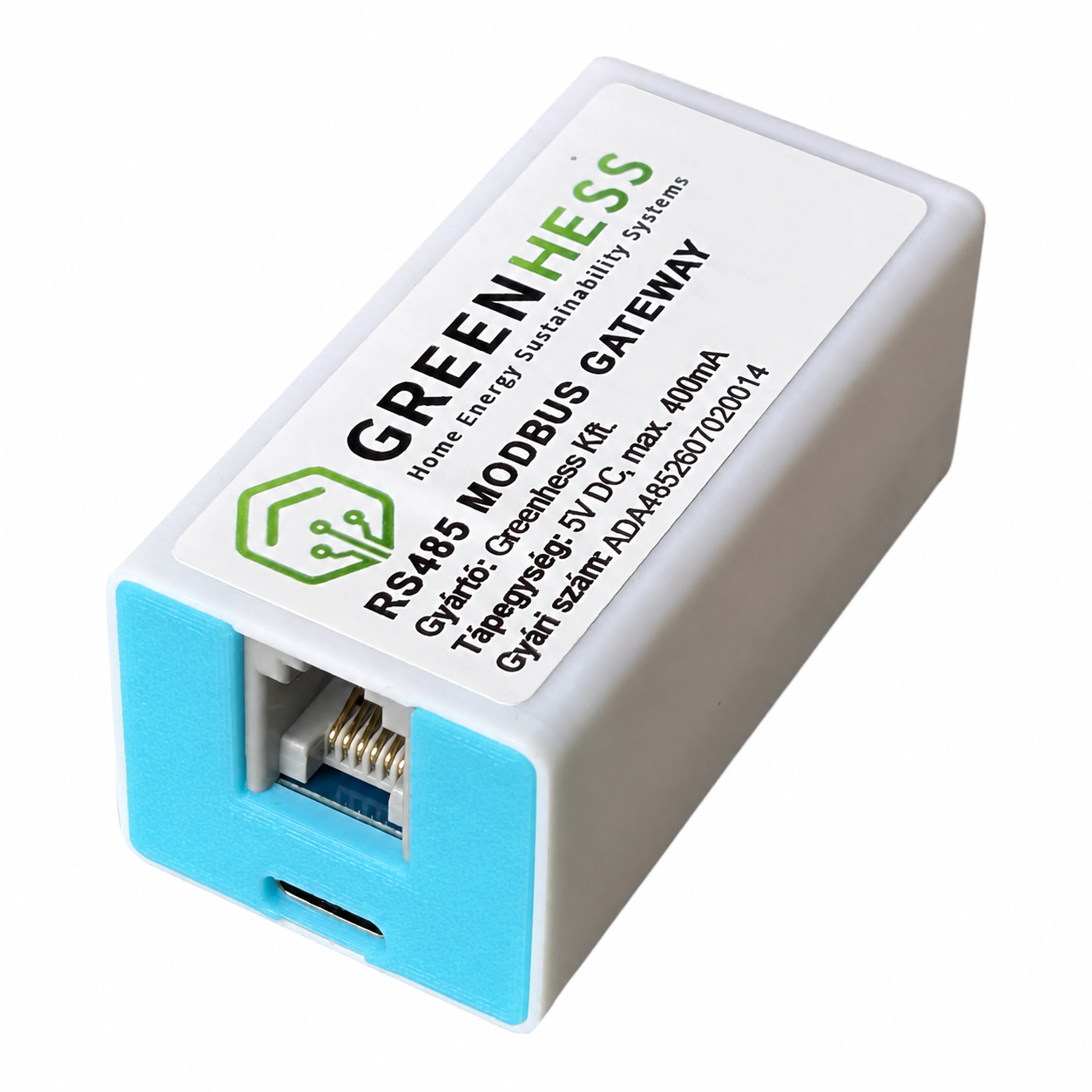
ADA485 is an easy-to-install RS485-to-IP (Wi-Fi/LAN) bridge and edge gateway. In Normal mode, it polls devices, optionally uses persistent Modbus TCP connections, and publishes data via MQTT/HTTP/REST. In Meter Slave mode, it emulates a DTSU666 or Eastron electricity meter using data from a P1 smart meter. Its third operating mode is a Modbus TCP-to-RTU gateway: it forwards Modbus TCP requests received over Wi-Fi to the appropriate slave on the RS485 bus, then returns each response to the TCP client. PLEASE NOTE: Power supply and USB cable are not included!ADA485 is the RS485/Modbus TCP gateway in the GreenHESS ADA ecosystem. It connects meters and controllers that use standard Modbus RTU to a home or industrial IP network locally, without relying on the cloud. Main applications: Solar PV systems: real-time monitoring and control of inverters, smart meters, and BMS devices. Heating and cooling: heat pumps, boilers, buffer tanks, and heat meters over RS485. Industrial and building automation: PLCs, variable-frequency drives, temperature/pressure transmitters, PZEM devices, and more. Smart meter replacement: a DTSU666 emulator for the 2Meter port of a Deye/Sunsynk inverter, without a separate physical meter. Modbus TCP-to-RTU gateway: access RS485 inverters, meters, and controllers from a client on the local network; address multiple slaves using different Unit IDs. Three selectable operating modes: Normal (device polling and data processing), Meter Slave (smart meter emulation), and Gateway (Modbus TCP-to-RTU bridge). Each mode uses the RS485 bus for its own purpose, so only one mode is active at a time. Communicates with devices designed for RS485 Modbus data communication. Currently compatible with the following batteries and BMS devices; the list continues to grow: Battery Systems & BMS12 pcsBasenGreen 314Ah (TP-LT56TB)BasenGreen 628Ah (JK PB2A16S20P)DOCAN 600AhDOCAN 900AhEASUN (M16S100BL-V)Gobel PC200GreenBULL (GB16280)Hailei (HL-PW4810016S)JKBMS (14CELL-B2A24S20P)JKBMS (EJ-JK-B2A24S20P)JKBMS 300Ah (PB2A16S20P)SEPLOS 280Ah (16S200A)EV Chargers & EVSE Controllers1 pcsVoltieHeat Pumps & HVAC Controllers2 pcsHajdu HPAWMidea M-ThermalPV Inverters & Hybrid Inverters6 pcsDeye SUN-xK-SG04LP3-EUemptyFronius Symo (TCP int+SF)Growatt x000UEHuawei SUN2000 (TCP)SigenergyLast updated: 2026. 10. 05. 9:40:46 Features in detailCommunication interfaces Modbus RTU master: reading and writing, multiple slaves on one bus, scheduled polling, and on-demand commands. Modbus RTU slave: acts as a data source by emulating an Eastron SDM630 (FC04) or CHNT DTSU666 (FC03) meter. Modbus TCP client (over the local network): polling without RS485; optional persistent TCP connections for protocol profiles and raw HEX requests (tcp_mode: "persistent" or persistent: true). The previous connect-per-request behavior remains available. Modbus TCP-to-RTU gateway: TCP server on the IP network and RTU master on RS485. The TCP Unit ID selects the RTU slave; the reply returns to the original TCP client. Solarman protocol: native Solarman V5 frame support for Deye/Sunsynk inverters, based on serial number. HTTP/REST pull + JSON path: extract and normalize fields from APIs. RS485 ASCII frames: ascii/hex/hextoascii templates with an optional frame suffix. MQTT publish/subscribe: real-time data to an EMQX broker and remote commands (set-mode, get-status, get-config, raw send). Edge processing and calculations Scaling and signed values: divider, mask, signed/unsigned values, two's complement, and byte order (BE/LE). Calculated fields: expression-based derived values (for example, batt_i_charge, batt_i_dis, phase totals, and P/U/I conversions). Multiple requests, one payload: combine inverter and BMS data in a single JSON object, for example. Per-field publishing control (adasend): select which keys to include in MQTT publications. Cache and state handling: retain the last valid data and filter incomplete data using gate conditions. Web administration Captive portal Wi-Fi setup: on first startup, the device enters access point mode for setup from a phone. Built-in protocol editor: a CodeMirror-based JSON editor for changing profiles on the device. Obfuscated protocol files: supplied profiles use VB-style obfuscation and can be decoded with a key. Live dashboard: displays phase voltages, currents, powers, energies, and frequency. Modbus traffic decoder: shows the last request and response as a hex dump with register-level interpretation (name, unit, and decoded floating-point value). Event log: timeline of MQTT messages, acknowledged commands, and errors. Operation and maintenance OTA updates: update from a browser or automatically retrieve firmware from firmware.greenhess.com. Logging: local CSV and JSON logs in LittleFS, with periodic uploads to a server. Fault recovery: watchdog reset, automatic reconnection after Wi-Fi/MQTT outages, and persistent configuration in flash memory. Multitasking architecture: uses both ESP32 cores with priority-based FreeRTOS scheduling; network operations (HTTP and MQTT) and Modbus slave responses run separately to serve polling-sensitive devices such as a Deye inverter using 100 ms 2Meter polling. Smart meter emulation (DTSU666 / Eastron mode) In Modbus RTU slave mode, ADA485 acts as an electricity meter for the inverter without a separate DTSU666 or Eastron SDM630 meter. It reads data from the P1 smart meter (okosvillanyora.local) JSON API over Wi-Fi and serves those values to the inverter over RS485 in the expected Modbus RTU format. Typical use: if a P1 smart meter dongle is already installed, a separate DTSU666 meter is not needed for the Deye 2Meter port. ADA485 combines data acquisition and meter emulation in one device. Selectable protocols EASTRON SDM630 mode (FC04 — Read Input Registers) SI units: V, A, W, Hz, and kWh, represented directly as IEEE 754 floating-point values. Register map from 0x0000 to 0x0164: phase voltages and currents, per-phase and total active/reactive/apparent power, power factor, frequency, import/export energy, and line-to-line voltages. Native SDM630-compatible values without additional scaling. CHNT DTSU666 mode (FC03 — Read Holding Registers) Register map based on the official CHINT DTSU666 Modbus protocol v1.5. Instantaneous measurements at 0x2000–0x2030 (Uab/Ubc/Uca, Ua/Ub/Uc, Ia/Ib/Ic, Pt/Pa/Pb/Pc, Qt/Qa/Qb/Qc, St/Sa/Sb/Sc, PFt/PFa/PFb/PFc). Frequency at 0x2044. Energy registers: 0x4000 (ImpEp), 0x400A (ExpEp), 0x4014 (ImpEq), and 0x401E (ExpEq). For backward compatibility, the Huawei DTSU666-H variant's 0x101E/0x1028 addresses are also supported. Scaling profiles Different Deye firmware versions may expect different scaling for the same registers. CHNT mode offers three selectable profiles: Classic DTSU666 (default): factory CHINT scaling — V×10, I×1000, P×10, Q×10, PF×1000, Hz×100, with energy in native kWh. This works with most Deye firmware versions from 2024 onward. Native SI: values in SI units — V, A, W, Hz, and kWh. Some newer firmware versions expect this format. Custom: set the multipliers for all seven groups (V, I, P, Q, PF, Hz, E) individually when neither preset matches the inverter. Live diagnostic tools Modbus traffic decoder: the web interface shows the inverter's latest request (address, function code, and register range) and ADA485's response, including each register's name, unit, raw on-wire value, and converted SI value. This helps identify scaling errors. Test mode: temporarily disable P1 polling and send fixed values to the inverter (for example, P_L1=-500 W, P_L2=+1000 W, P_L3=-1500 W). Compare these values with the inverter display during setup and calibration. Statistics: query_count, query_ok, and query_fail counters, P1 fetch success, and the timestamp of the latest request. Frequency check: if the P1 source reports 0 Hz, the firmware sends 50 Hz to prevent a meter error at the inverter. Remote configuration All Meter Slave settings (protocol, P1 host/port/path, slave address, fetch interval, scaling profile, custom multipliers, and test values) can be configured over MQTT as well as through the web interface. A supervisory system can therefore configure multiple ADA485 units or switch settings for different inverter types. Modbus TCP-to-RTU gateway (third operating mode) In Gateway mode, ADA485 receives requests over Wi-Fi as a Modbus TCP server and forwards them to the RS485 bus as Modbus RTU frames. After checking the RTU response CRC, it returns the response as Modbus TCP with the original transaction ID. Both read and write functions are forwarded; the gateway does not interpret or translate register values. Multiple slaves on one bus: the TCP request's Unit ID is the RTU slave address (1–247). Requests from different TCP clients are queued; only one RTU transaction is active on the RS485 bus at a time. Each response is routed back to the matching TCP client. All devices on the bus must use the same baud rate, parity, and stop-bit settings. Local and remote configuration On the device: select Gateway in the ADA485 web interface. Configure the TCP port (502 by default), baud rate, parity, stop bits, RTU response timeout, inter-frame gap, maximum TCP clients, and RS485 receive echo. There are always eight data bits; for example, 9600 baud, no parity, and one stop bit is 9600 8N1. Remotely: use set-gateway-config on the existing MQTT command channel to save settings, then set-mode to activate gateway mode. Use get-gateway-config and get-gateway-status to retrieve the settings and live status. Diagnostics: the web interface displays counters for connections, active clients, requests, replies, timeouts, CRC errors, invalid frames, and busy responses. Important: this mode bridges standard Modbus TCP and Modbus RTU. It does not convert another RS485 protocol, such as a battery's proprietary ASCII frames, into Modbus registers. Direct RS485 polling is suspended while Gateway mode is active; the previous behavior is available again after switching back to Normal or Meter Slave mode. Quick setup (5 steps) Wiring: connect RS485 A/B/GND to the meter or inverter bus (A to A, B to B; polarity matters). A 120 Ω termination resistor is recommended at each end of the bus. Power: connect the ADA485 power supply within the range shown on its label (typically 5–24 V DC). Wi-Fi: connect a phone or computer to the ADA485 access point and open its web setup page (password: 12345678). MQTT/REST: enter the broker address or local API endpoint as applicable. Operating mode: in Normal mode, select and load a profile, then start polling. In Meter Slave mode, select CHNT DTSU666 or Eastron and set the P1 meter address and scaling profile. In Gateway mode, set the TCP port and the RTU bus baud rate, parity, and stop bits; set the correct Unit ID in the TCP client. Wiring RS485 basics A shielded twisted pair is recommended (for example, LiYY/UTP): A(+) ↔ A(+), B(−) ↔ B(−). A shared GND reference often improves noise immunity where the connected devices permit it. Terminate both ends of the bus with 120 Ω; bias resistors should generally be installed at one point only, near the master. Terminal block example: RS485-A (positive signal) RS485-B (negative signal) GND (optional reference) For an RJ45 port, always follow the device's pinout label; there is no universal RJ45 standard for RS485.
In stock
Views: 79
68.20 €
HMKE.APP cloud
Which data-retention plan fits your needs?
No device requires a paid cloud service. Every cloud-enabled device can be used with the FREE plan.
All three plans provide 24/7 access with 99% availability on mobile and desktop, with new data arriving every 10 seconds. The key difference is the detail of stored data and the analysis features available to you.
Service
FREEFree
MONTHLY4.38 €
/ month
Best valueANNUAL43.84 €
/ year
Access and availability
✓24/7, 99%
✓24/7, 99%
✓24/7, 99%
Access modes
✓Mobile and desktop
✓Mobile and desktop
✓Mobile and desktop
Live data updates
✓Every 10 seconds
✓Every 10 seconds
✓Every 10 seconds
Data retention
!Current day, saved at 15-minute intervals
✓Full history, saved at 1-minute intervals
✓Full history, saved at 1-minute intervals
Historical data
!Current day only (15-minute data points)
✓Available
✓Available
Daily aggregator calculations
×Not available
✓Available
✓Available
ONERGO AI
×Not available
✓Available
✓Available
LiveStream feature
×Not available
✓Available
✓Available
Data download
!Current day only (15-minute data points)
✓Daily ZIP files in Excel format
✓Daily ZIP files in Excel format
Renewal
Not required
!Manual renewal every month; no automatic charge
✓Once a year; no monthly renewal
Annual saving
—
—
✓8.72 €
The FREE plan is ideal for monitoring the current day. Choose MONTHLY or ANNUAL for complete 1-minute data retention and advanced features.
Thousands ofusersnationwide
Our devices help users across the country track energy consumption and production intelligently.
Real experiences
What our customers say
They have already tried it and shared their experience. Now discover what the ADA P1 Meter and hmke.app can do together.
Loading reviews…
Modern, customisable interfaceNear real-time data at home and on the go.
Expert guidance
Not sure which device you need?
The ADA P1 Meter connects directly to your smart electricity meter. It is designed to collect and forward data from smart meters deployed across the European Union that provide a DSMR5-compatible P1 user interface. Access to the P1 connector on the front of the meter and an available 2.4 GHz Wi-Fi network are required.
Confirmed compatible smart meter models include, but are not limited to:
Sanxing SX601 S12U16, Sanxing SX631 S34U18, Sanxing SX601 S12U26, Sanxing SX631 S34U28, Sagemcom MA105, Sagemcom MA304, Sagemcom MA110M, Sagemcom MA309M, Holley DDSD285, Holley DTSD545, Wasion aMeter100, Wasion aMeter300
✓ Monitoring your home's energy use?
✓ Monitoring a solar energy system?
✓ Finding an appliance that is consuming too much energy?
✓ Displaying live inverter data?
✓ Seeing exactly how much energy you import from and export to the grid?
02
Is your meter cabinet sealed?
No problem. Contact your metering operator or energy supplier and ask how the customer P1 interface can be enabled or made accessible. The P1 port is a customer data interface; availability and activation procedures may vary by country and local operator.
03
How can you store and use your data?
The ADA P1 Meter gives you several options:
✓ It runs its own web server on your local network and publishes the available data every 10 seconds.
✓ It also works as an MQTT client, allowing you to send data to your own broker.
✓ Use our free HMKE.APP interface. If you want more detailed consumption analysis, custom reports or access to historical data, an optional cloud data-retention subscription is available. Cloud storage costs EUR 4.40 per month. With an annual subscription, two months are included at no extra cost, making the annual fee EUR 44.
Advanced capabilities
Open data, flexible integration
No technical background is required for the basic setup. For custom automation or local data processing, the devices also provide several standards-based connection options.
ID 50
ADA P1 Meter
It processes data from the meter's P1 user interface in near real time and makes the same measurements available locally and to the external system you choose.
Local access: an onboard web interface, structured JSON data and access to the meter's original telegram on the local network.
Data forwarding: it can connect to your own broker as an MQTT client and can also be used with the free or subscription-based HMKE.APP service.
Extended monitoring: data from supported inverters and local smart devices can be combined into one energy view.
Automation: suitable for Home Assistant (HACS), Domoticz, EVCC and other MQTT-, HTTP- or JSON-based systems.
ID 56
ADA485
A bidirectional gateway between RS485/Modbus equipment and IP-based systems: it can read measurement data, forward it in a consistent format, or present a compatible virtual meter to another device.
Master mode: polling supported RS485/Modbus meters, inverters and industrial devices, with a local web view plus JSON and MQTT output.
Meter/Slave mode: turns ADA P1 Meter data into a compatible Modbus meter for inverters, energy managers or EV chargers.
Protocols: support includes Eastron, CHINT, SunSpec/Fronius and Voltie-compatible operation; selected modes provide Modbus RTU and Modbus TCP connectivity.
Local management: onboard dashboard, live status values and configurable local-network access.
GREENHESS
Share your experience
Tell us how the GreenHESS system has worked for you. You can submit a review without signing in.
GREENHESS
Checkout
2Coupon
3Delivery address
4Payment method
5Summary
2. LÉPÉS
Do you have a coupon code?
Enter your coupon code, or leave the field empty and continue.
Entering a coupon code is optional.
3. LÉPÉS
Delivery and collection
Select a delivery method and, if required, a delivery address.
Select a delivery method
Available options are based on the country of the selected delivery address.
4. LÉPÉS
Select a payment method
5. LÉPÉS
Order summary
Loading order…
GREENHESS
My devices
Manage the GreenHESS devices linked to your account.