
We help you choose the right device for your system Ask an expert →
← Back to the blog

Shelly 3M + ADA P1 Meter

▣ 2026-02-05 ◉ 892 views

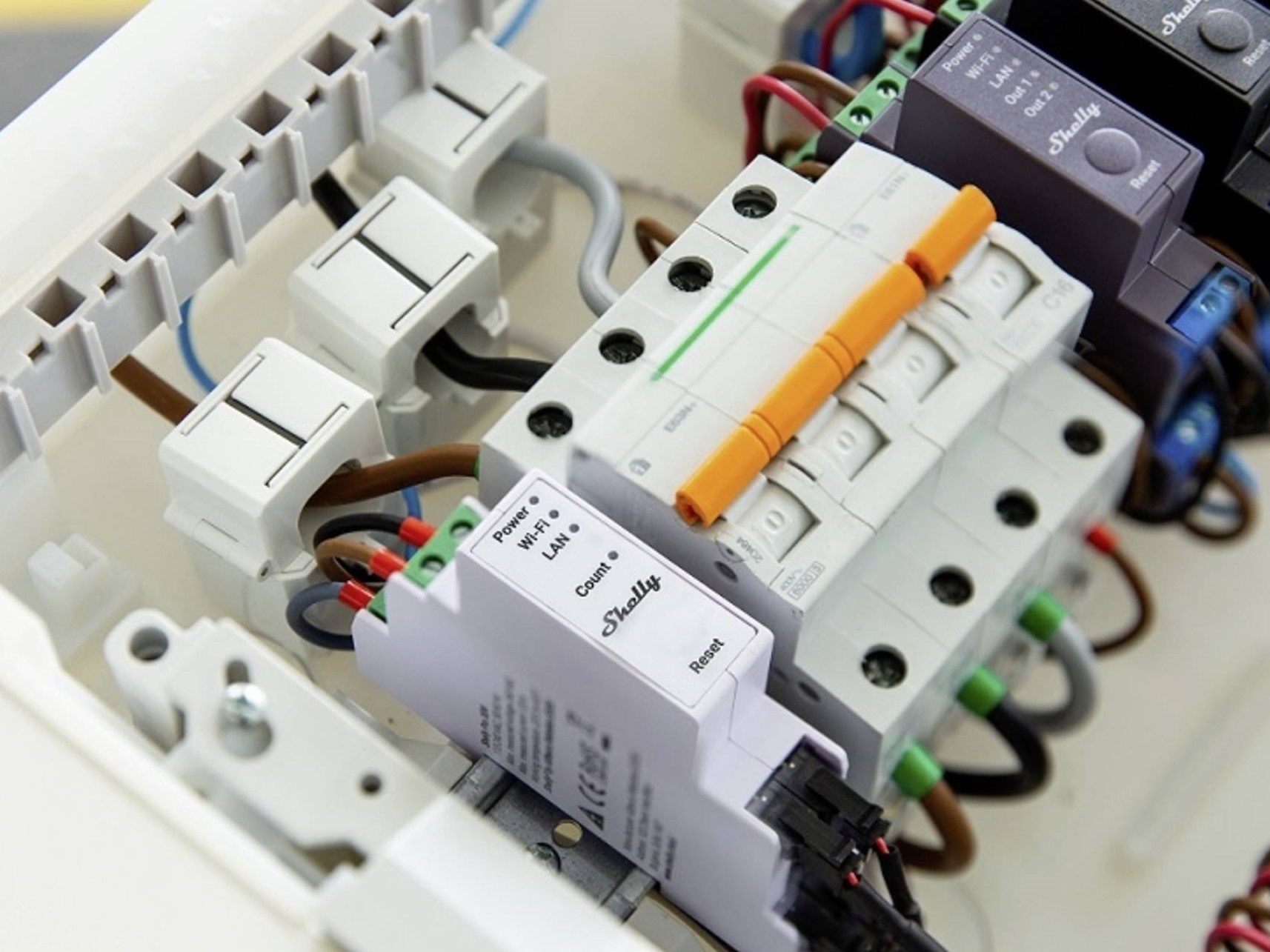
If you have a solar system (3-phase), and you are already measuring at your inverter with a Shelly 3M, then good news: from now on, Shelly 3M data can be included in the ADA P1 Meter package, and thus also automatically appear in the hmke.app.

What do you gain from this?

  • the data from the 3-phase measurement will be transferred to the ADA P1 Meter

  • the ADA uploads it to the cloud, no need to click separate “integration” buttons in hmke.app

  • you see the picture in the same system, not scattered across dashboards

Important: this solution is designed for Shelly 3M / 3-phase systems.

Main point: a Shelly Script that sends data to ADA every 10 seconds

We run a script on the Shelly admin interface that:

  • fetches the current status of the Shelly,

  • assembles a “plugins” JSON,

  • and sends it to the ADA P1 Meter at this address:
    http://okosvillanyora.local:8989/write

The script (copy it exactly)

// === SETTINGS === let NAME_BASE = "Shelly 3M"; // === START SCRIPT === let INTERVAL_MS = 10000; let POST_URL = "http://okosvillanyora.local:8989/write"; function K(key, idx) { return "PZEM_" + key + "_" + idx; } print("SCRIPT STARTED - Waiting for timer..."); Timer.set(INTERVAL_MS, true, function () { Shelly.call("Shelly.GetStatus", {}, function (r) { // Check basic data (em:0 for instantaneous values) if (!r || !r["em:0"]) { print("ERR: No em:0 data!"); return; } let em = r["em:0"]; // Try to access emdata:0 as well (contains counters: total, returned) // If no emdata:0, fallback to em:0 let emData = r["emdata:0"] || r["em:0"]; let v = {}; // Helper function: If undefined/null, make 0 function getVal(val) { return (val !== undefined && val !== null) ? val : 0; } // ================= PHASE 1 (L1) ================= let v1 = getVal(em.a_voltage); let c1 = getVal(em.a_current); // Calculated power: (V * A) / 1000 -> kW let p1_calc = (v1 * c1) / 1000; // Energy data (Wh -> kWh) let total1 = getVal(emData.a_total_act_energy) / 1000; let ret1 = getVal(emData.a_total_act_ret_energy) / 1000; // Returned v[K("name", "l1")] = NAME_BASE + " L1"; v[K("voltage", "l1")] = v1.toFixed(1); v[K("current", "l1")] = c1.toFixed(3); v[K("power", "l1")] = p1_calc.toFixed(3); v[K("total", "l1")] = ret1.toFixed(3); // NEW FIELD: Returned energy // ================= PHASE 2 (L2) ================= let v2 = getVal(em.b_voltage); let c2 = getVal(em.b_current); let p2_calc = (v2 * c2) / 1000; let total2 = getVal(emData.b_total_act_energy) / 1000; let ret2 = getVal(emData.b_total_act_ret_energy) / 1000; v[K("name", "l2")] = NAME_BASE + " L2"; v[K("voltage", "l2")] = v2.toFixed(1); v[K("current", "l2")] = c2.toFixed(3); v[K("power", "l2")] = p2_calc.toFixed(3); v[K("total", "l2")] = ret2.toFixed(3); // ================= PHASE 3 (L3) ================= let v3 = getVal(em.c_voltage); let c3 = getVal(em.c_current); let p3_calc = (v3 * c3) / 1000; let total3 = getVal(emData.c_total_act_energy) / 1000; let ret3 = getVal(emData.c_total_act_ret_energy) / 1000; v[K("name", "l3")] = NAME_BASE + " L3"; v[K("voltage", "l3")] = v3.toFixed(1); v[K("current", "l3")] = c3.toFixed(3); v[K("power", "l3")] = p3_calc.toFixed(3); v[K("total", "l3")] = ret3.toFixed(3); // JSON sending let jsonBody = JSON.stringify({device: "plugins", values: v}); // DEBUG print("DEBUG: L1 Returned: " + ret1.toFixed(3) + " kWh"); print("DEBUG: Payload size: " + jsonBody.length); Shelly.call("HTTP.POST", { url: POST_URL, headers: {"Content-Type": "application/json"}, body: jsonBody }, function (res, ec, em_msg) { if (ec === 0) { print("SUCCESS! Sent to " + POST_URL); } else { print("ERROR: " + ec + " " + em_msg); } }); }); }); // === END SCRIPT ===

Commissioning step by step

  1. Log in to the Shelly 3M web admin interface (preferably not from mobile, it’s more comfortable on a PC).

  2. On the left side, find the Scripts menu.

  3. Create a new script, give it a name (e.g. ADA P1 Export).

  4. Paste the above script.

  5. Save, then Start.

That’s it. From now on, the Shelly 3M will send data every 10 seconds to the ADA P1 Meter.

⚠️ Important settings (so it doesn’t annoy you later)

  • Assign a fixed IP address to Shelly (best using DHCP reservation in your router) so you can find it anytime later.

  • Make sure the ADA P1 Meter and Shelly are on the same Wi-Fi / network range, otherwise the POST request won’t reach its destination.

  • On the hmke.app site, you don’t need to do anything: the ADA will include the “external device” data in its package and upload it to the cloud.

⏱️ When will it appear?

  • It starts quickly locally, and due to system updates, data will certainly appear within 24 hours in the cloud.

⚠️ If it doesn’t work at first (the classic 3 errors)

  • POST_URL is incorrect: if your address is not okosvillanyora.local but IP/port is different, change it accordingly.

  • DNS/mDNS issues: if the .local name is not resolved, use the ADA P1 Meter’s fixed IP in the POST_URL.

  • No em:0 data: if you see in the script log: No em:0 data!, then the measurement/status is not accessible on Shelly (or not the correct model/firmware), and you need to investigate there.