
ADA485 – RS485/Modbus IoT Bridge for HMKE and Industrial Devices
The ADA485 is an easy-to-install RS485→IP (Wi-Fi/LAN) bridge and edge gateway. It reads and writes Modbus RTU, publishes to MQTT/HTTP/REST, logs to CSV/JSON, and integrates immediately with Home Assistant/smartmeter.hu/hmke.app systems. Ideal for inverters (Deye/Sunsynk, Fronius RS485), BMS (SEPLOS, Basen), PZEM, heat pumps, boilers, PLCs.
What is it and what is it good for?
The ADA485 is the GreenHESS ADA ecosystem's RS485/Modbus gateway device. Its task is to connect standard Modbus RTU accessible meters/controllers on the line locally without cloud to a home or industrial IP network.
Main uses:
HMKE solar energy systems: real-time monitoring and control of inverter, smart meter, BMS.
Heating-cooling: heat pump, boiler, buffer tank, heat meter via RS485.
Industrial/building automation: PLC, frequency converter, temperature/pressure transmitters, PZEM, etc.
Not just for inverters
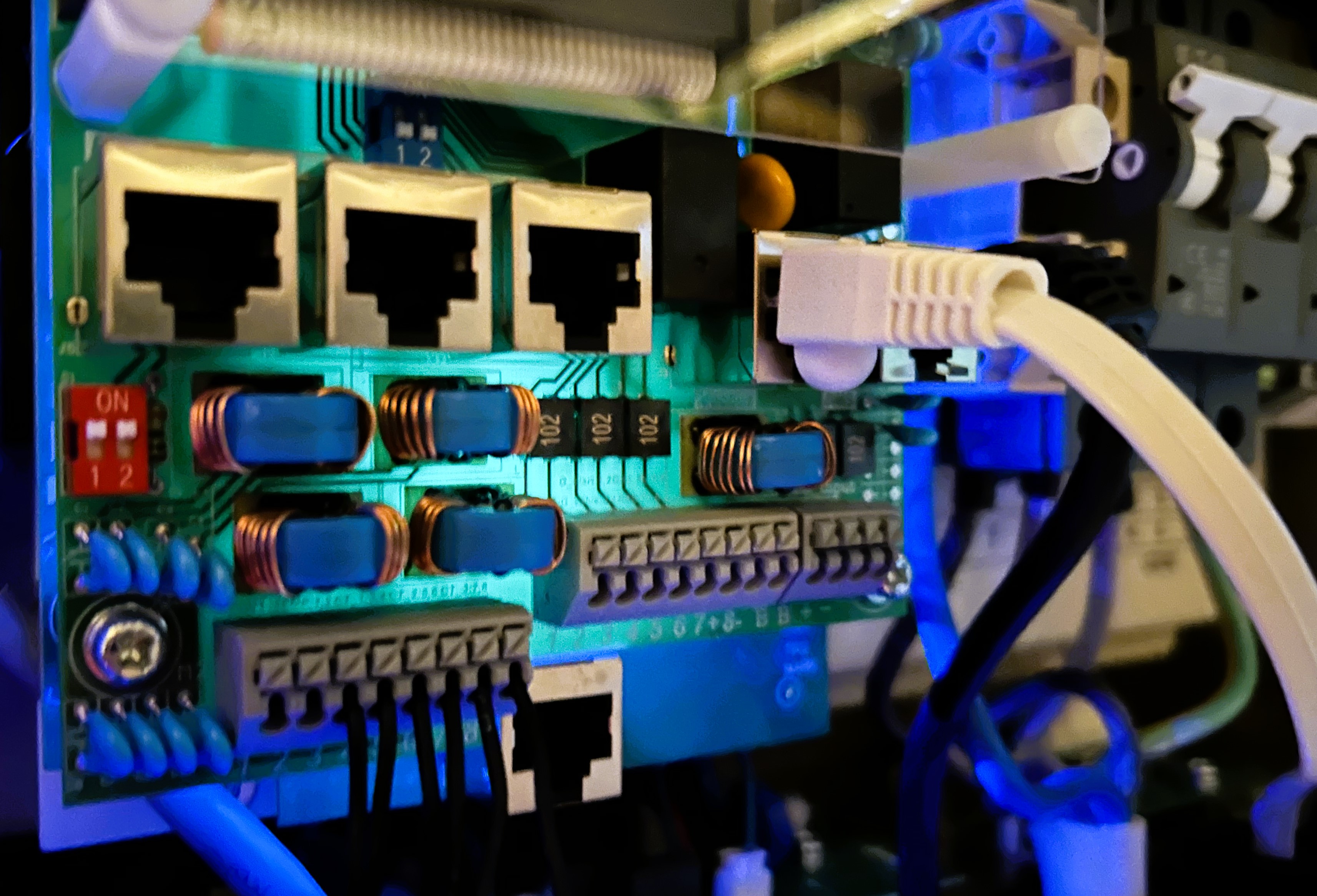
The ADA485 is a general interface: it can read data from Modbus RTU/TCP, RS485 ASCII (ascii/hex/hextoascii), and HTTP/REST based devices, then organizes and publishes it in a unified JSON format. It works with boilers, PLCs, PZEM, BMS, heat meters, and anything that communicates via Modbus or API.
Why is it especially important for inverters?
Modern inverters often provide status data through several “simple” means (cloud, local web, app), but the real settings and fine tuning (parameter table) are mostly accessible via RS485 Modbus. The ADA485 is therefore a key tool:
Write settings (Modbus write): mode, power limits, time windows can be adjusted live or scheduled.
Consumption / feed-in control: export limit (“backwatt”) and grid priorities management.
Battery usage: charge/discharge power and time bands, SOC limits, protections.
Priority settings: PV → battery → grid order or grid saving mode.
Scheduled profiles: day-night, HUPX/price signal workflows compatible request cycles.
Very short write examples
Modbus RTU (HEX template) – writing export limit 1500 W (example address):
{"requests":{"set_export":{"template":"01 06 90 10 05 DC","encode":"hex"}}}Modbus TCP – same parameterized:
{"requests":{"set_export":{"modbus_tcp":{"host":"192.168.1.20","unit":1,"func":6,"start":36880,"value":1500}}}}The exact addresses/values depend on manufacturer/type. The above samples illustrate possibilities.
Main functions (why you will like it)
Modbus RTU master: read/write, multiple slaves on one bus, scheduled queries.
Modbus TCP client (on LAN): fast polling without RS485.
HTTP/REST pull + JSON-path: extracting arbitrary API fields and unifying them.
RS485 ASCII frames:
ascii/hex/hextoasciitemplate + optional frame suffix.Real-time remote access: MQTT publishing and on-demand queries via local API.
MQTT and HTTP/REST output: EMQX/Broker → dashboard (smartmeter.hu, hmke.app, Home Assistant, Grafana, Node-RED).
JSON-based “protocol description”: concatenating multiple request–response pairs into one object (e.g. inverter + BMS → one payload).
Edge computations: scaling, signed interpretation, derived values (e.g.
batt_i_charge,batt_i_dis).Logging: local CSV and JSON logs; periodic push to server.
Web configuration: captive portal + admin UI (Wi-Fi, MQTT, inquiry profiles).
OTA: firmware update via browser.
Compact: DIN rail / distribution box fitting design, clear A/B/GND wiring.
Note: This article focuses on functions and software capabilities. Exact hardware specs (power, isolation, enclosure) vary by production batch; always check your unit’s parameters on the label/marking.
Quick installation (5 steps)
Wiring: RS485 A/B/GND → meter/inverter bus (A-A, B-B; polarity matters). Termination with 120 Ω on bus ends recommended.
Power: connect ADA485 power (according to label range – typically 5…24 V DC).
Wi-Fi: connect from phone/tablet to ADA485 AP → web setup (SSID, password).
MQTT/REST: specify broker address or local API target.
Profile: select/load prepared Modbus profile (e.g. Deye SUN-xK-SG04LP3-EU), save, then START.
Wiring
RS485 basic rules
Use two-wire shielded twisted pair (e.g. LiYY/UTP):
A(+) ↔ A(+),B(−) ↔ B(−).A common GND reference often improves noise immunity (if device supports it).
The bus should be terminated with 120 Ω at both ends; bias (pull-up/down) usually at a single point, near the master.
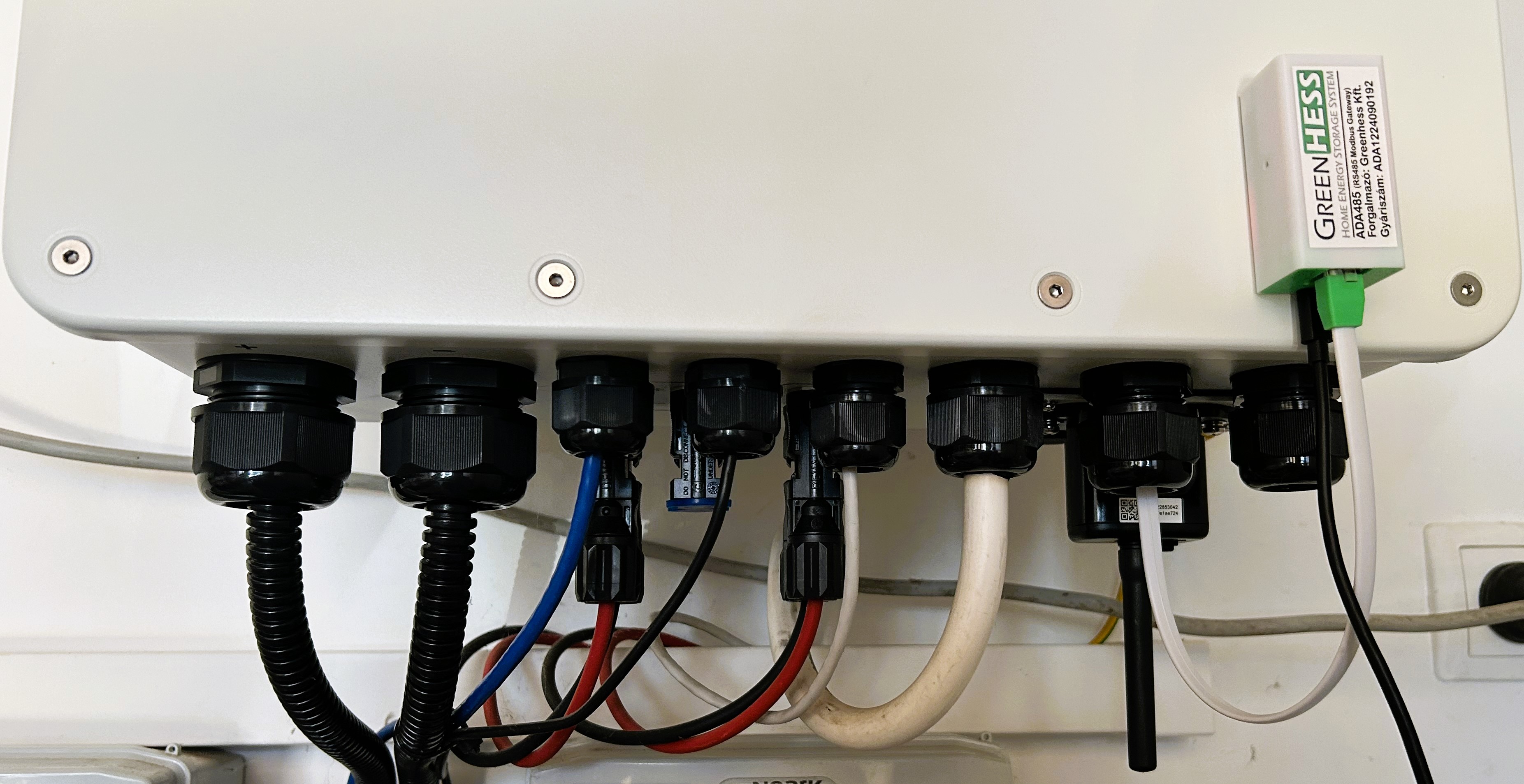
Example pinout (terminal block):
RS485-A(signal +)RS485-B(signal −)GND(optional reference)
For RJ45 port, always follow the device’s labeling; there is no universal RJ45 standard for RS485.
Short examples
1) Modbus RTU – register mode (excerpt)
{"requests":{"pack":{"template":"0103024B0006","encode":"hex"}},
 "responses":{"pack":{"offset_base":"register","base_address":"0x024B","word_size":2,
 "fields":[{"id":"batt_voltage","address":"0x024B","type":"U16","scale":100}]}}}
2) RS485 ASCII frame
{"requests":{"status":{"template":"~READ\n","encode":"ascii"}},
 "responses":{"status":{"offset_base":"hex_chars","fields":[{"id":"state","offset":6,"length":2}]}}}
3) HTTP/REST – field from JSON (json_path)
{"requests":{"api":{"http":{"host":"192.168.1.50","path":"/api/status"}}},
 "responses":{"api":{"offset_base":"json","fields":[{"id":"pac","json_path":"Body.Data.PAC.Value"}]}}}
4) Modbus TCP – holding registers
{"requests":{"mbtcp":{"modbus_tcp":{"host":"192.168.1.20","unit":1,"func":3,"start":0x024B,"qty":6}}},
 "responses":{"mbtcp":{"offset_base":"register","base_address":"0x024B",
 "fields":[{"id":"soc","address":"0x024C","type":"U16"}]}}}
Real-time remote access
MQTT: measured/combined JSON can be published in 1–5 second cycles to the broker.
On-demand intervention: named requests can be triggered (e.g.
set_export), Modbus write immediately.Remote access: local API accessible via VPN (or corporate network), thus settings can be modified live.
Example configurations
1) Deye / Sunsynk SUN-xK-SG04LP3-EU – battery block
Goal: reading SOC, voltage, current, power. The following holding registers are practical:
0x024B→batt_voltage(×0.01 V)0x024C→batt_soc(×1 %)0x024E→batt_power_w(signed W)0x024F→batt_current(×0.01 A, signed)0x0250→batt_totcap(Ah)
ADA485 inquiry profile (excerpt, JSON):
{
  "bus": { "baud": 9600, "parity": "N", "stop": 1 },
  "requests": [
    { "unit": 1, "fn": 3, "addr": 0x024B, "len": 6, "map": [
      { "name": "batt_voltage",   "at": 0, "scale": 0.01,  "type": "u16" },
      { "name": "batt_soc",       "at": 1, "scale": 1,     "type": "u16" },
      { "name": "_skip",          "at": 2 },
      { "name": "batt_power_w",   "at": 3, "type": "s16" },
      { "name": "batt_current",   "at": 4, "scale": 0.01,  "type": "s16" },
      { "name": "batt_totcap",    "at": 5, "type": "u16" }
    ]}
  ],
  "derived": {
    "batt_i_charge": "max(batt_current,0)",
    "batt_i_dis":    "max(-batt_current,0)",
    "batt_remcap":   "batt_totcap * batt_soc / 100"
  },
  "publish": {
    "mqtt": {
      "topic": "hmke/ada485/${device}/battery",
      "qos": 0, "retain": false
    },
    "http": {
      "url": "http://okosvillanyora.local:8989/write",
      "method": "POST",
      "body": { "device": "${device}", "ts": "${time}", "data": "${json}" }
    }
  },
  "interval_ms": 3000
}
2) SEPLOS BMS – PIA/PIB/PIC multi-circuit profile (sample)
SEPLOS data sets do not arrive in a single query, so the profile concatenates results of multiple requests:
{
  "requests": [
    { "unit": 1, "fn": 3, "addr": 0x1000, "len": 16, "tag": "PIA" },
    { "unit": 1, "fn": 3, "addr": 0x1100, "len": 32, "tag": "PIB" },
    { "unit": 1, "fn": 3, "addr": 0x1200, "len": 16, "tag": "PIC" }
  ],
  "merge": "{...PIA, ...PIB, ...PIC}"
}
The above register addresses are examples; your specific BMS documentation is authoritative.
MQTT and Home Assistant
Example MQTT payload (hmke/ada485/<serial>/battery):
{
  "batt_voltage": 51.62,
  "batt_soc": 74,
  "batt_power_w": -820,
  "batt_current": -15.9,
  "batt_i_charge": 0,
  "batt_i_dis": 15.9,
  "batt_totcap": 200,
  "batt_remcap": 148
}
Home Assistant – configuration.yaml sensors
mqtt:
  sensor:
    - name: "Battery SOC"
      state_topic: "hmke/ada485/+/battery"
      unit_of_measurement: "%"
      value_template: "{{ value_json.batt_soc }}"
    - name: "Battery Power"
      state_topic: "hmke/ada485/+/battery"
      unit_of_measurement: "W"
      value_template: "{{ value_json.batt_power_w }}"
    - name: "Battery Current"
      state_topic: "hmke/ada485/+/battery"
      unit_of_measurement: "A"
      value_template: "{{ (value_json.batt_current | float) }}"
REST API (local)
GET /api/read?unit=1&fn=3&addr=0x024B&len=6→ raw registersGET /api/now→ last assembled JSONPOST /api/profile→ upload full profile (JSON)POST /api/publish→ immediate publish to set targets
Endpoint names and formats may vary by firmware version; the current list is available on the local /help page.
Performance and reliability
Bus speed: typically 9600/19200/38400/115200 bps.
Typical cycle time: 4–10 queries/second (depending on slave and response length).
Error tolerance: retry, timeout, CRC check, noise filtering.
Stable bus: short branches, proper shielding, termination/bias – these matter more than bps.
Security
Local-first: everything works without internet.
MQTT auth: user/pass, optional TLS between broker and ADA485.
Authorization: admin password for web UI; API key for REST calls (optional).
OTA: verified (signed) firmware preferred.
Technical data (typical)
| Parameter | Value (typical) |
|---|---|
| Power supply | 5…24 V DC (batch dependent) |
| Power consumption | < 2 W |
| RS485 | 2-wire, half-duplex, A/B + GND |
| Enclosure | compact design fitting DIN rail / distribution box |
| Network | Wi-Fi 2.4 GHz (ESP32) / optional LAN |
| Operating temperature | −10…+55 °C |
Exact specification is on the device label and the production datasheet.
Typical errors and quick fixes (FAQ)
A/B swapped? – reading does not update; swap A/B wires.
Noisy bus? – shorten branches, place 120 Ω termination at bus end, check common GND.
Updates rarely? – reduce len and/or interval_ms; multiple short requests are faster than one huge one.
HA does not see sensors – check slave ID, baud/parity/stop combination.
MQTT does not work – check broker address/port/user/pass; if using TLS, verify certificate.
Final thoughts
The essence of the ADA485 is a reliable, local, customizable data connection between the RS485 world and modern IP-based systems. If needed, it simply “bridges”; if needed, it smartens up – just as much as your project requires.